01
Grid mode
See the entire cohort at once, with names, connection states, help indicators, and coaching actions attached to each screen.

Train Lens gives trainers one live view of every trainee screen, plus private coaching, help requests, shared resources, and session reporting. All in the browser.
✓In hands-on training, a trainer can present perfectly and still miss the person who took a wrong turn three steps ago.
Train Lens replaces check-ins and guesswork with a live, respectful view of real progress—so support arrives while it can still make a difference.
Scan the room in grid mode. Focus when someone needs help. Move between the two without losing sight of the group.
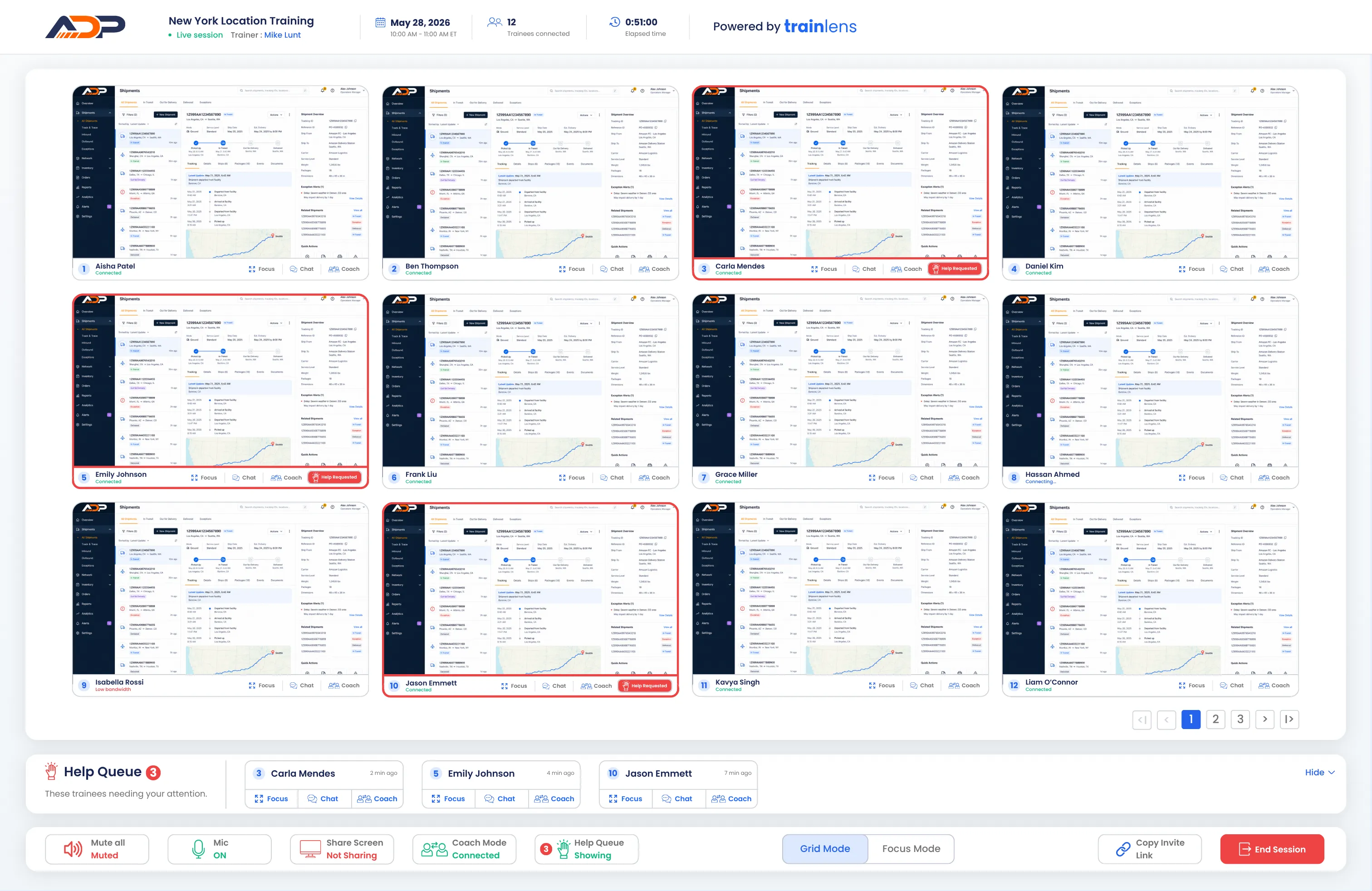
See the entire cohort at once, with names, connection states, help indicators, and coaching actions attached to each screen.
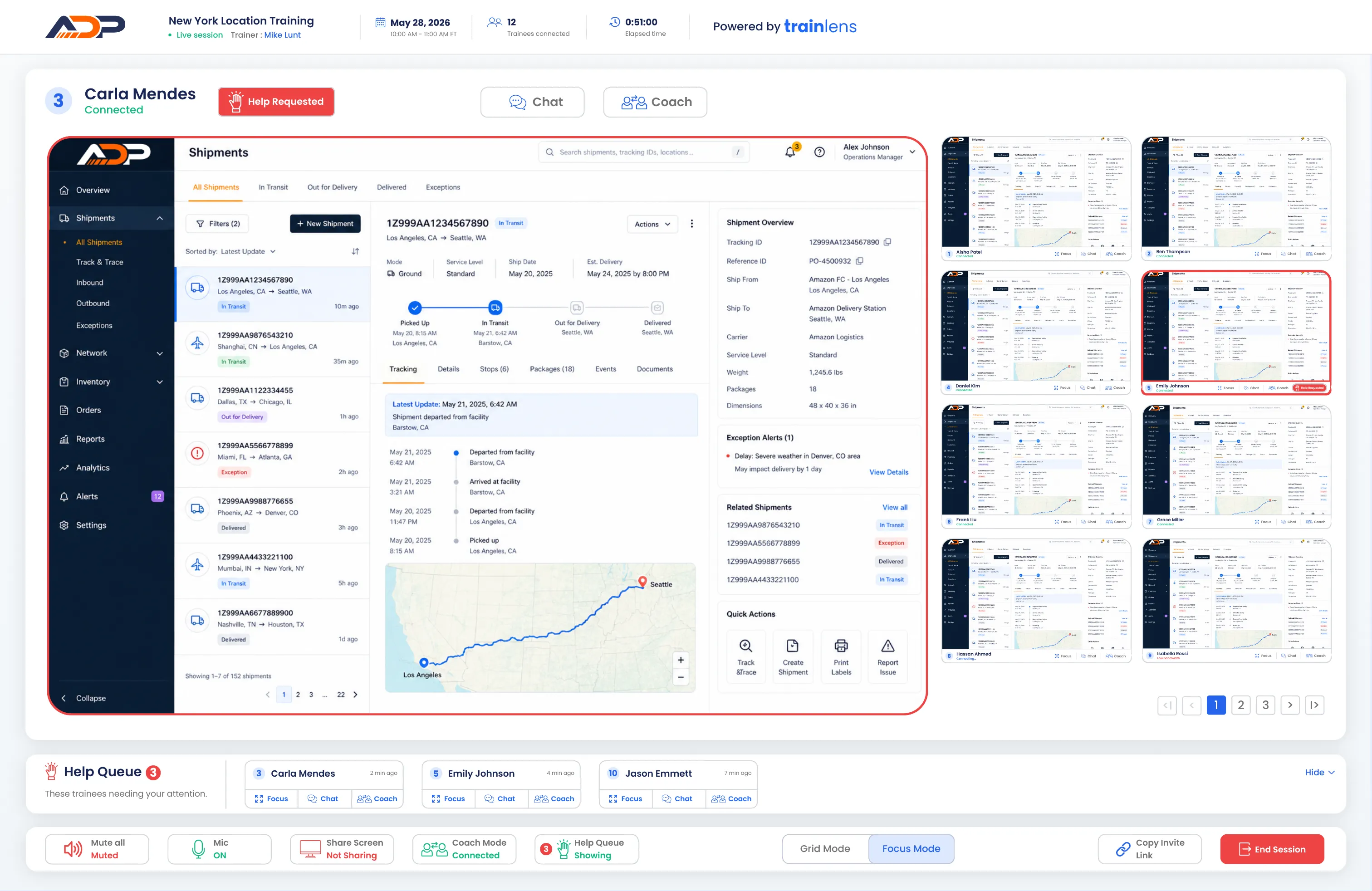
Bring one trainee into view while keeping the rest of the group visible, so individual attention never becomes tunnel vision.
Prioritize requests in the order they arrive, then focus, chat, or coach directly from the queue.
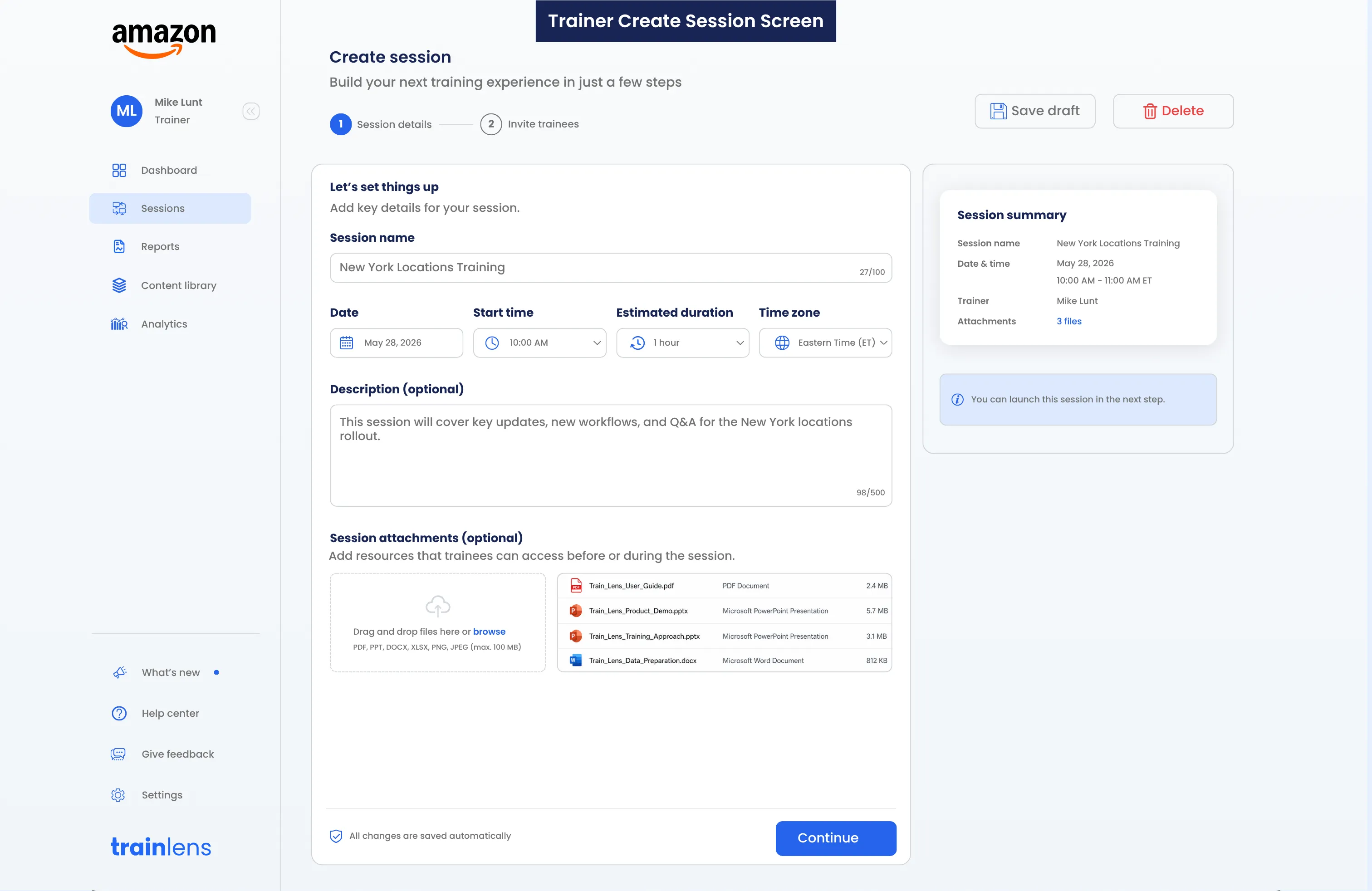
Add the date, time, description, and resources your trainees will need. Train Lens turns those details into a ready-to-send browser link.
A trainee can request help without speaking over the session. You see the request immediately and choose the right level of support.
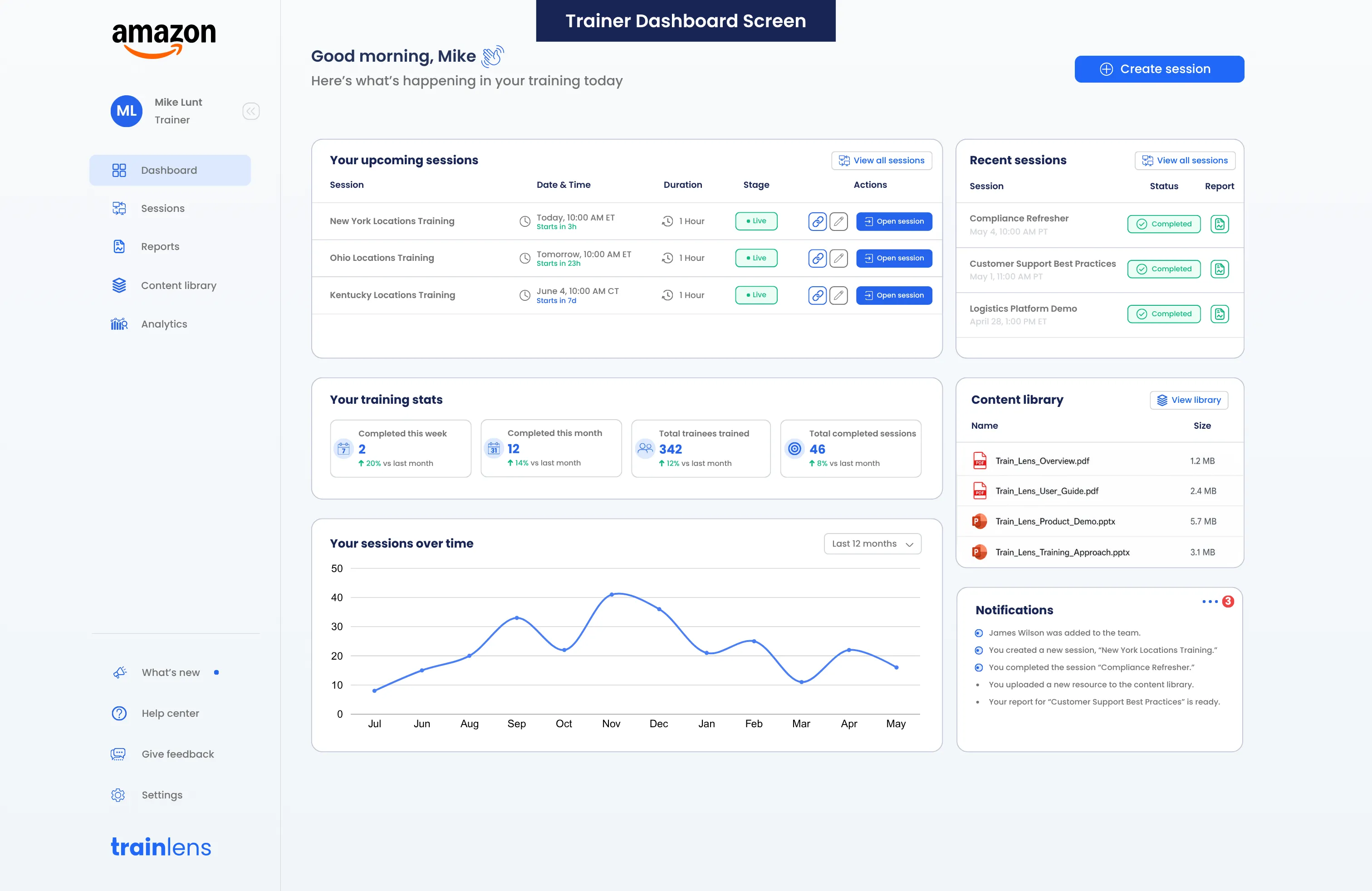
Keep materials beside the live experience, then give trainers and trainees a clear record when the session ends.
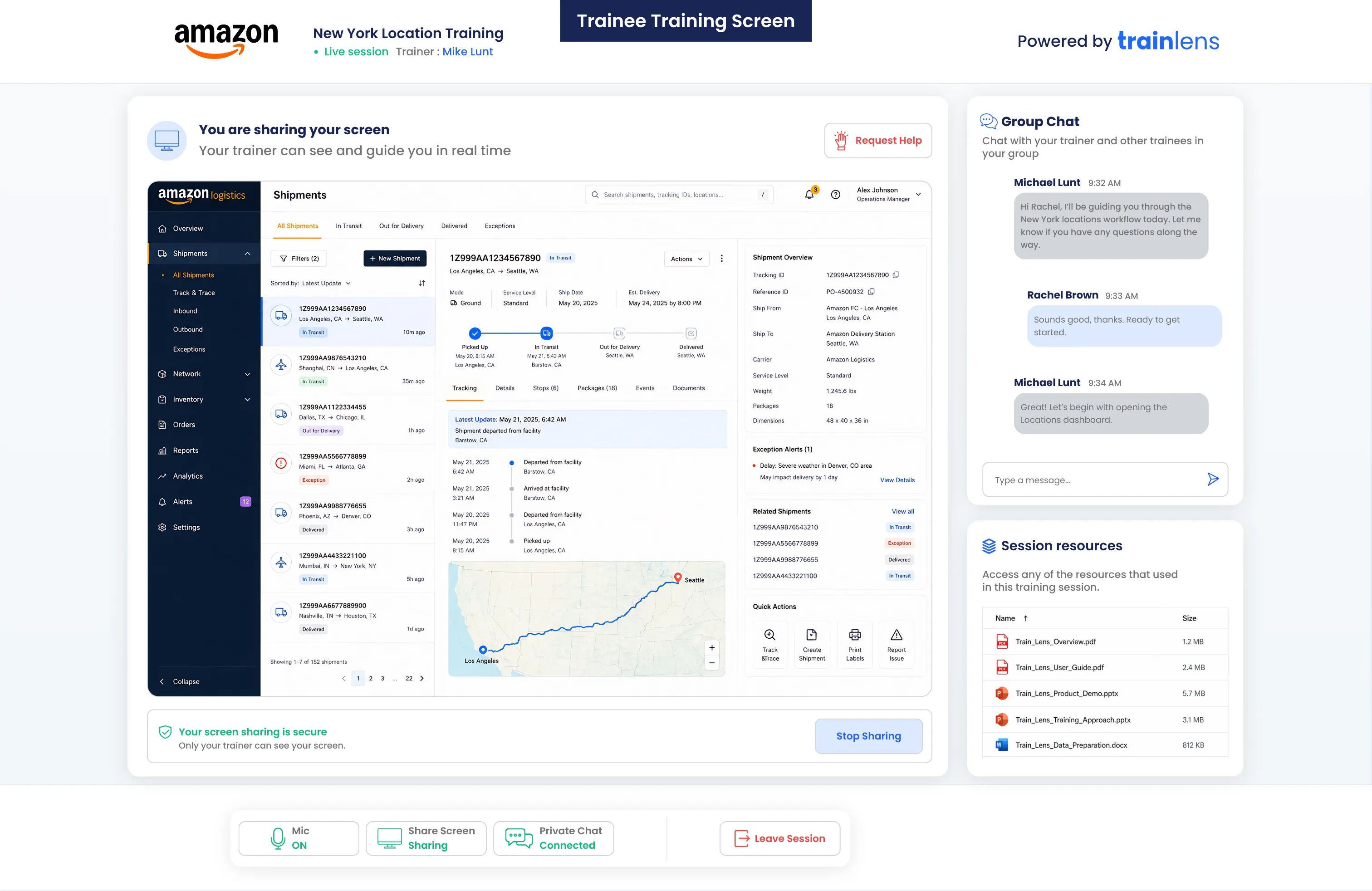
Trainees get a calm, focused workspace: their shared screen, the conversation, session resources, and a clear way to ask for help.
Train Lens works wherever the quality of training depends on seeing people complete a process correctly.
See people work in the actual tools they need to learn and correct errors in context.
Help new hires build confidence while keeping a cohort moving at a productive pace.
Bring the visibility of an in-person computer lab to trainees wherever they work.
Deliver a more consistent training experience across teams, sites, and time zones.
Train Lens makes the screen-sharing relationship explicit. Trainees see when they are sharing, who can view their screen, and how to stop sharing.
Learn how Train Lens works for trainers and trainees, from joining in a browser to screen visibility, private support, shared resources, and reporting.
Book a personalized demo and see how Train Lens fits your training workflow.