01
Send a request
The trainee asks for help directly from their workspace without speaking over the trainer or interrupting the group.

Train Lens gives every trainee a clear, discreet way to ask for support. Trainers can see help requests as they happen, review the trainee’s shared screen, and respond without stopping the entire group.
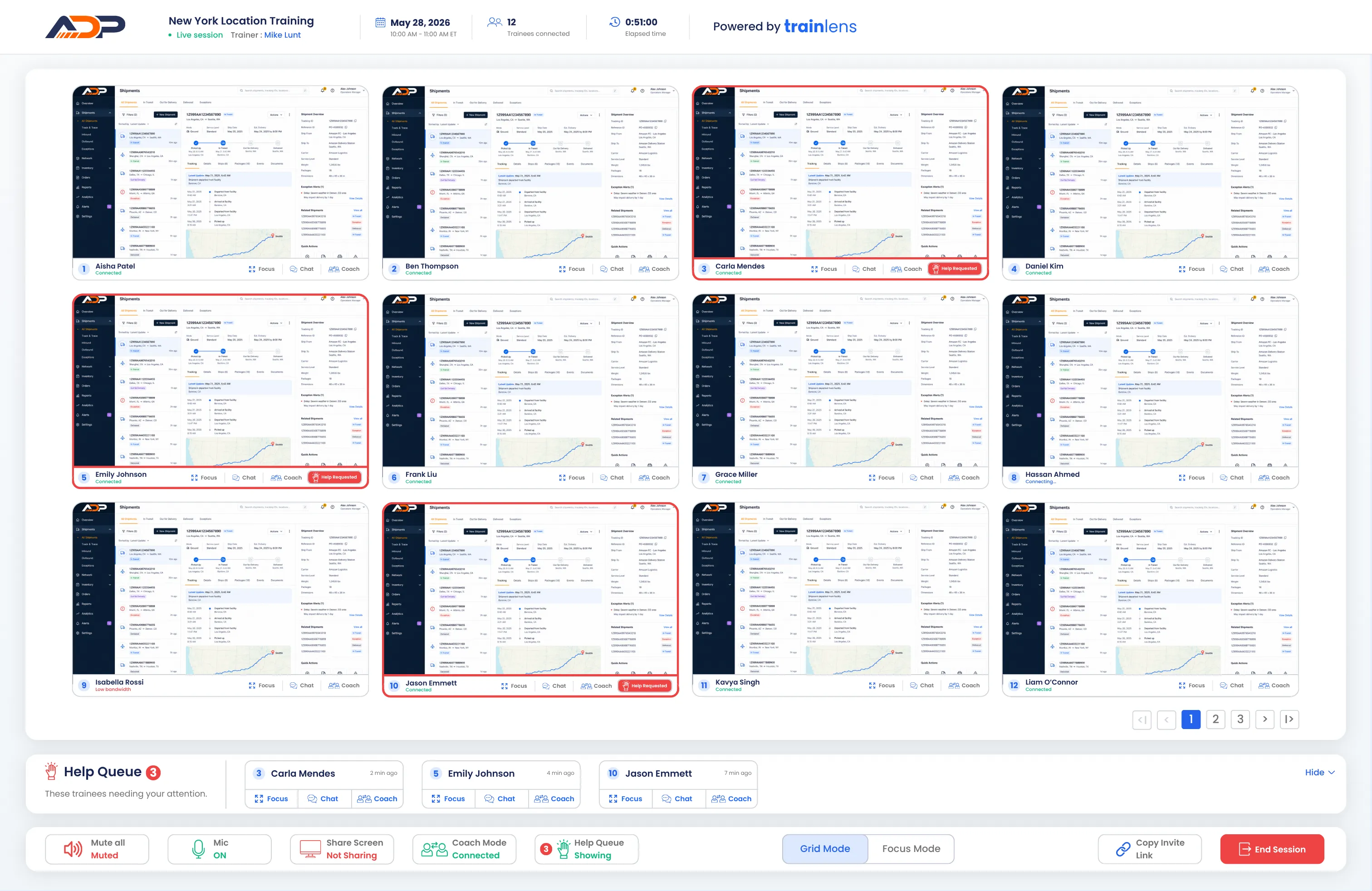
During hands-on training, the people who need support are not always the first to speak. Train Lens gives trainees a direct way to signal that they need assistance while continuing to work through the exercise.
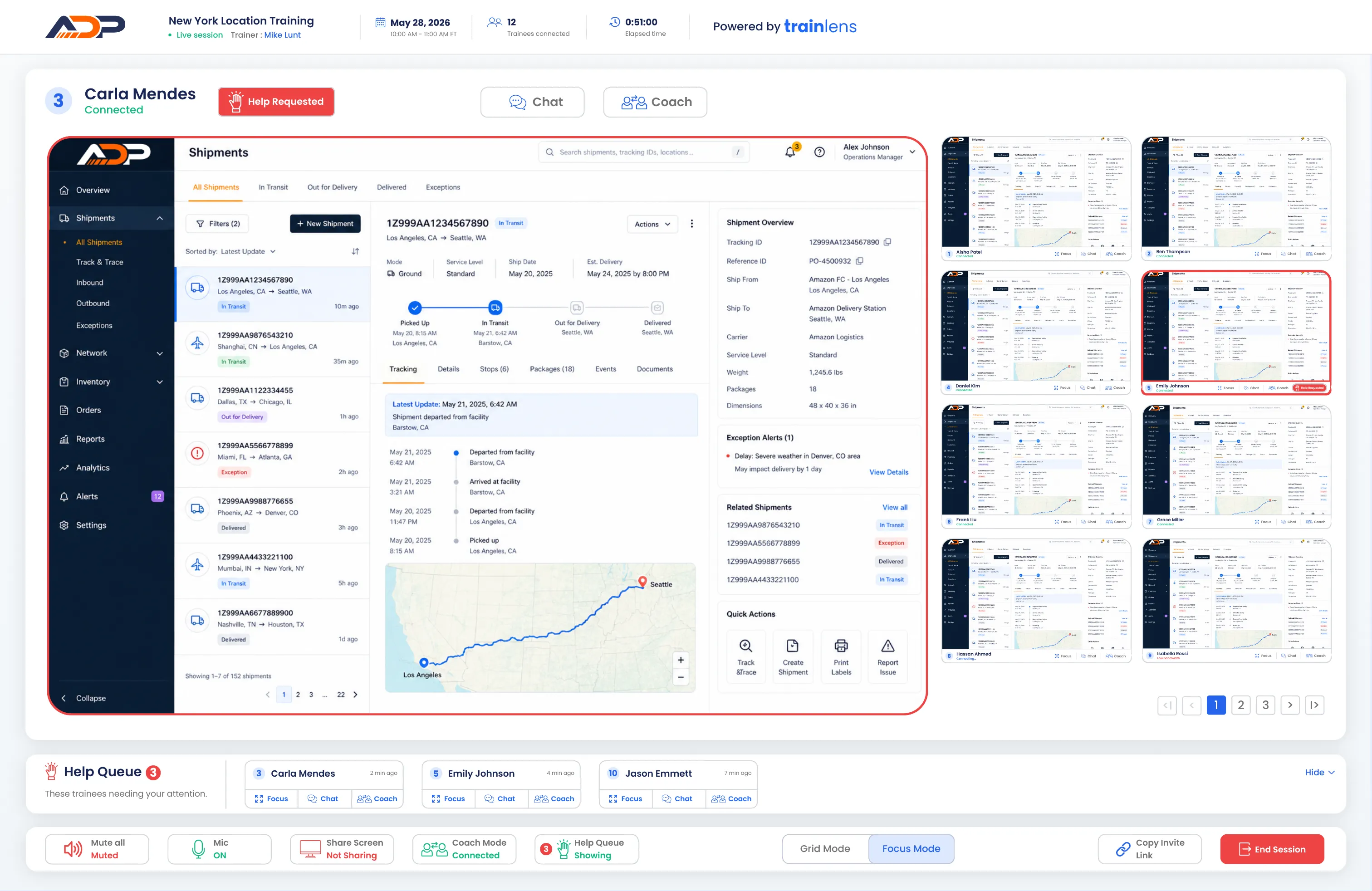
The trainee asks for help directly from their workspace without speaking over the trainer or interrupting the group.
The trainer sees that support is needed and can identify which trainee has requested help.
The trainer opens the trainee’s shared screen to understand the work before deciding how to respond.

A trainee should not have to wait for the right moment to speak or explain their problem in front of the entire cohort. A help request gives the trainer a clear signal while the exercise continues.


When more than one trainee needs assistance, the trainer needs a clear view of where support is required. Train Lens brings help requests into the training workflow so the trainer can respond deliberately instead of relying on whoever speaks first.



Imagine a cohort learning to complete a workflow in a new software system. Most trainees are ready to move forward, but one person is unsure which option to select.
The trainee sends a help request without interrupting the trainer. The trainer sees the request, opens the trainee’s shared screen, and reviews the information already entered. A quick private explanation gets the trainee moving again while the rest of the cohort continues with the exercise.
A help request is visible to the trainer, not announced to the entire cohort. If the trainer opens the trainee’s shared screen, that screen remains private from other trainees.
Learn how trainees request assistance and how trainers respond during live, hands-on training.
Book a personalized demo and see how Train Lens helps trainers respond to questions during live, hands-on training.