
Prepare microphone, sound and screen-sharing access in your browser and computer settings.
Prepare microphone access, sound playback and screen-sharing access before your session. Some settings are controlled by your browser; others are controlled by your computer.
You choose when to share your screen and what to share. Granting access does not replace that choice.
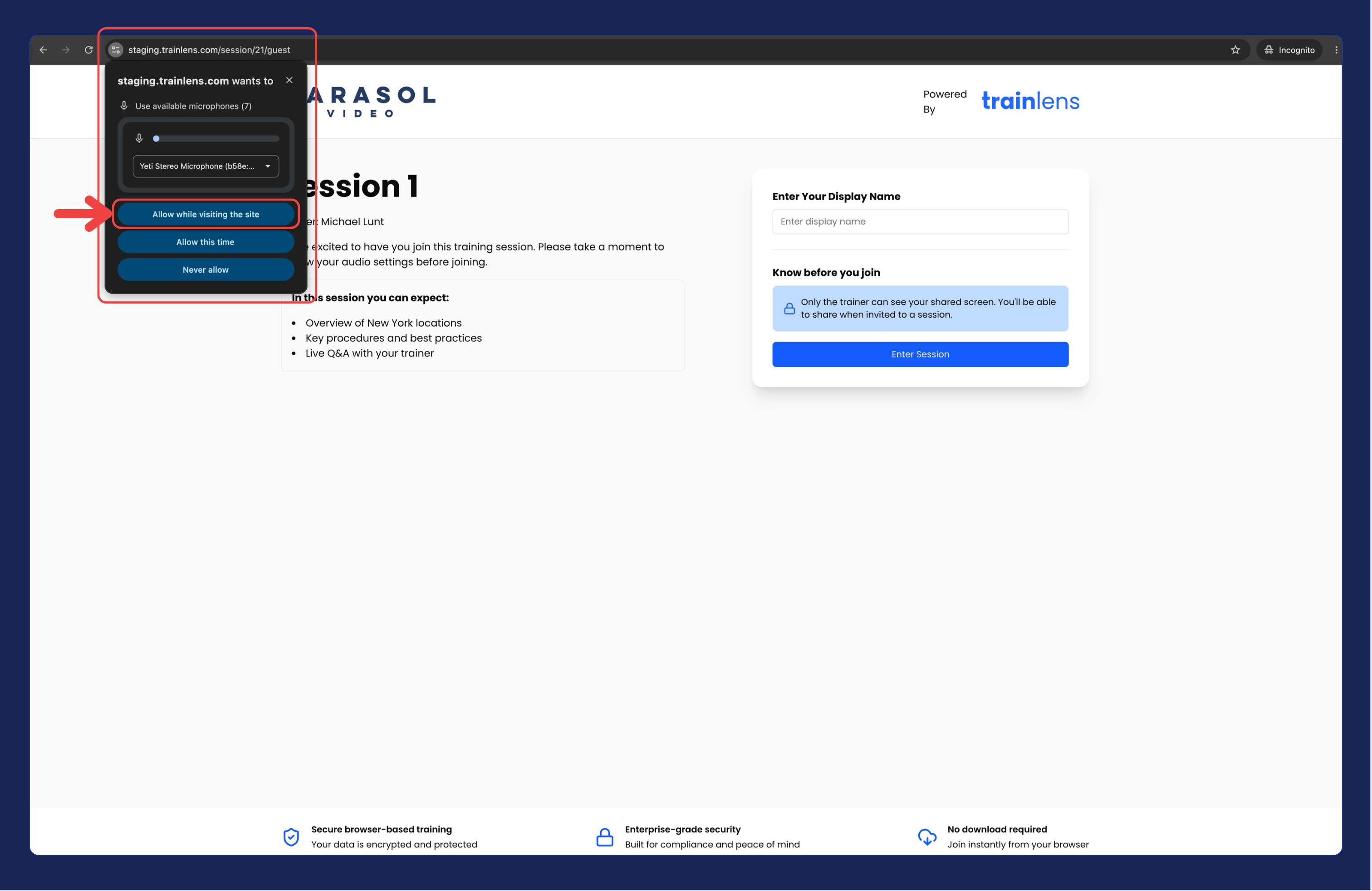
Review the browser’s permissions for the Train Lens site. Check microphone access and any blocked sound setting. If sound is missing, also check whether the tab or site is muted.
Review your computer’s privacy settings for microphone and screen-sharing access for the browser you are using. The setting names vary by computer and operating system.
Also check the selected microphone, sound output and volume. Follow any instructions your computer gives after a settings change, then repeat the practice check.
Ask your IT team for help if settings are unavailable or locked. Tell them which browser you use, which action is blocked and the exact message shown.
Once your permissions are ready, continue with Share your screen with the trainer.
Contact us anytime at
contact@trainlens.com