
Learn how to start sharing your screen with the trainer during a Train Lens session and stop sharing when you are finished.
You control when your screen is shared. Before starting, close messages, documents and applications that are unrelated to the training.
Open the software, window or browser tab you expect to use during the exercise.
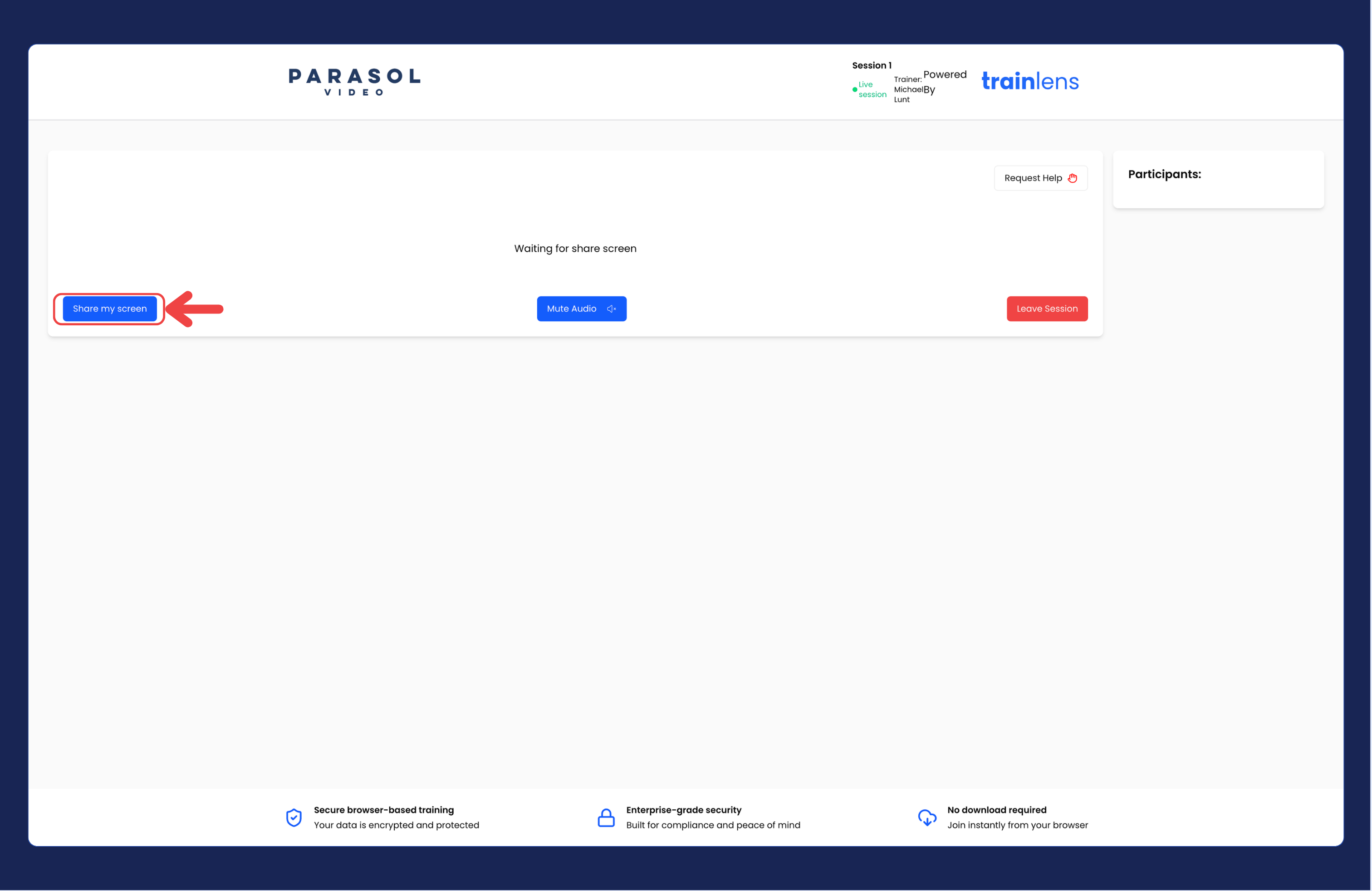
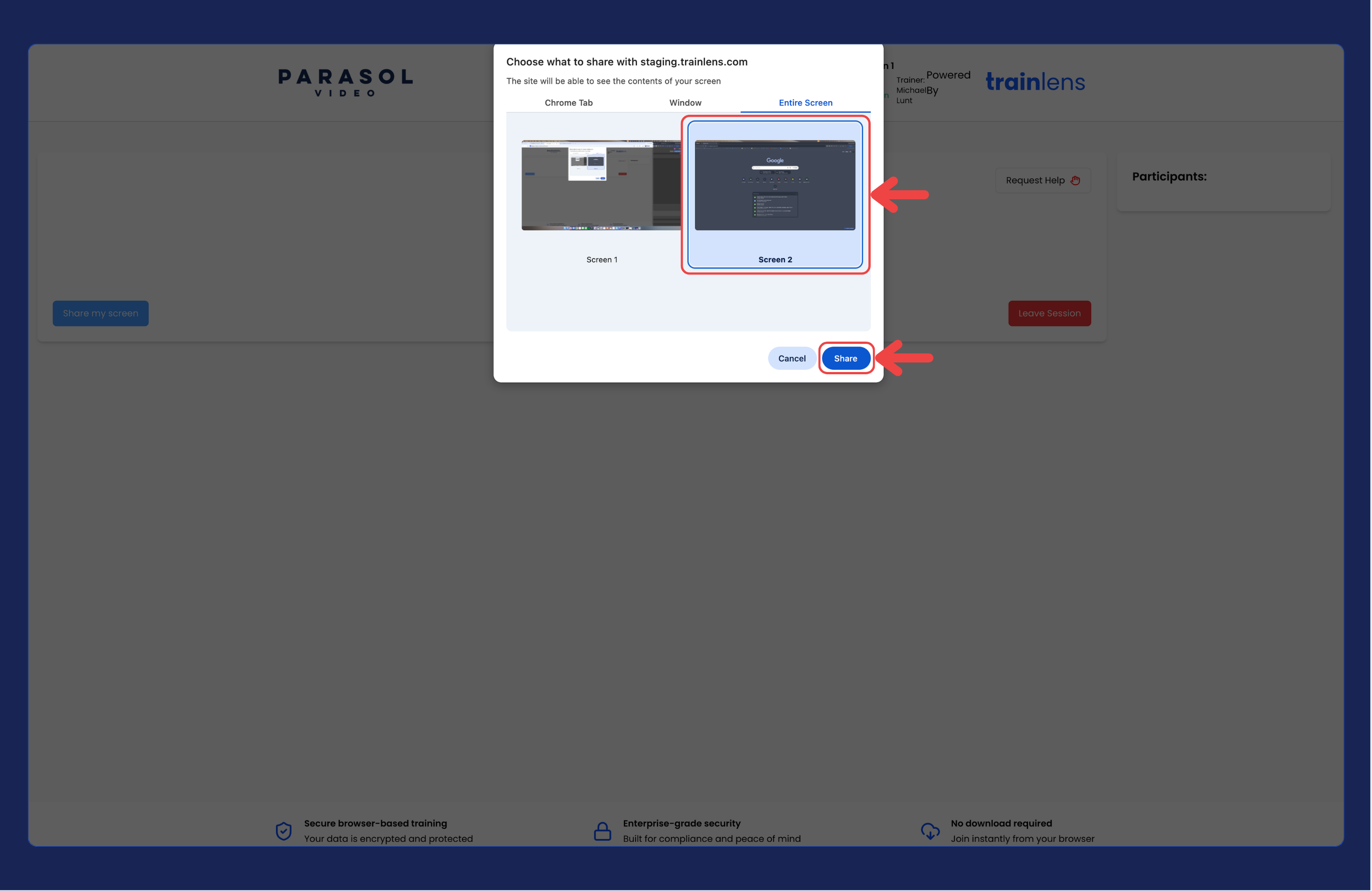
Your trainer can see the content you actively select through the browser sharing chooser while sharing remains active.
Choose the narrowest sharing option that works for the training task when you want to reduce the chance of showing unrelated information.
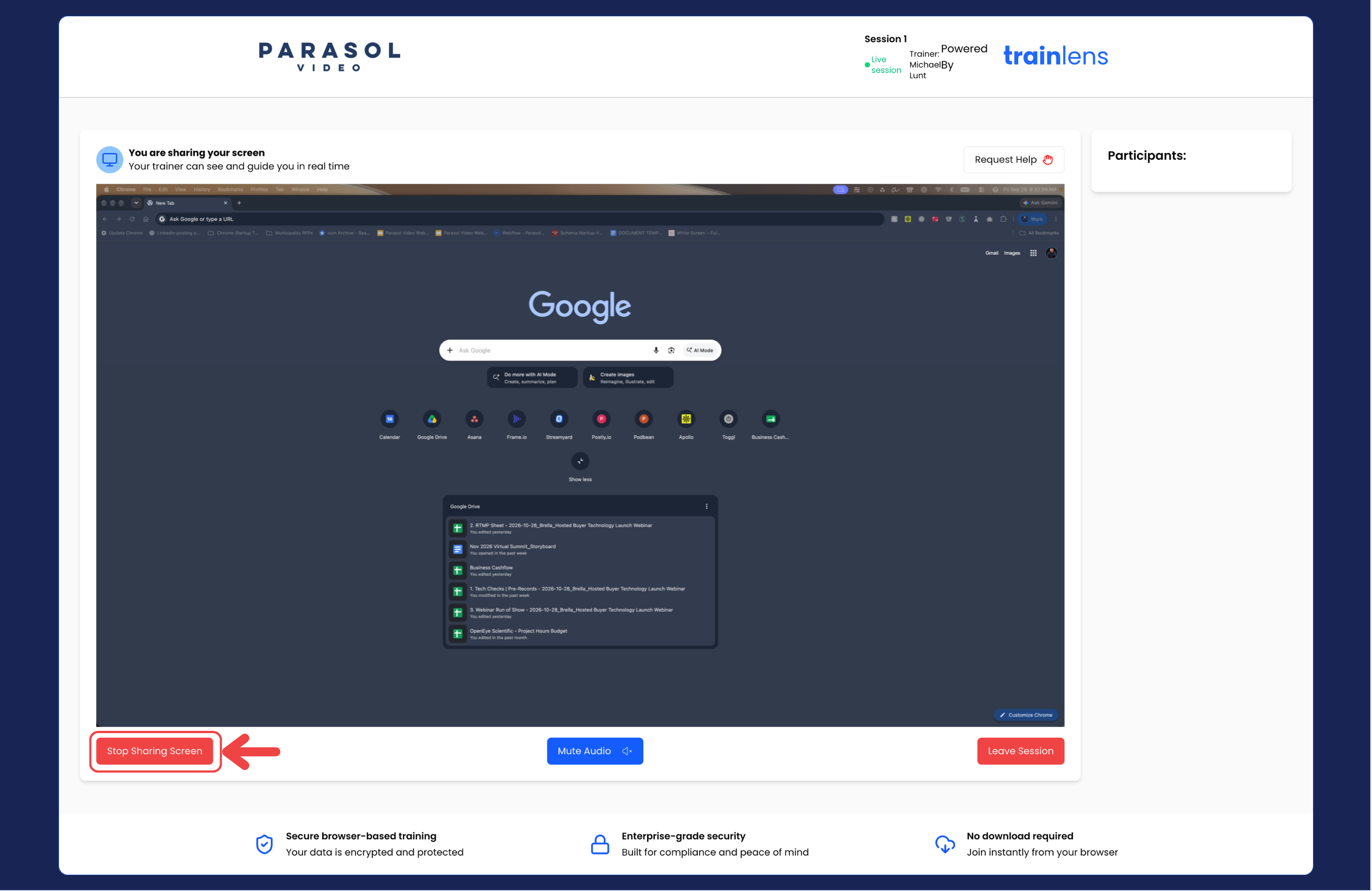
If your trainer asks you to share again later in the session, repeat the same process. You can choose a different screen, window or browser tab the next time you share.
Read Choose which screen, window or browser tab to share for more detail about the browser sharing chooser.
Contact us anytime at
contact@trainlens.com