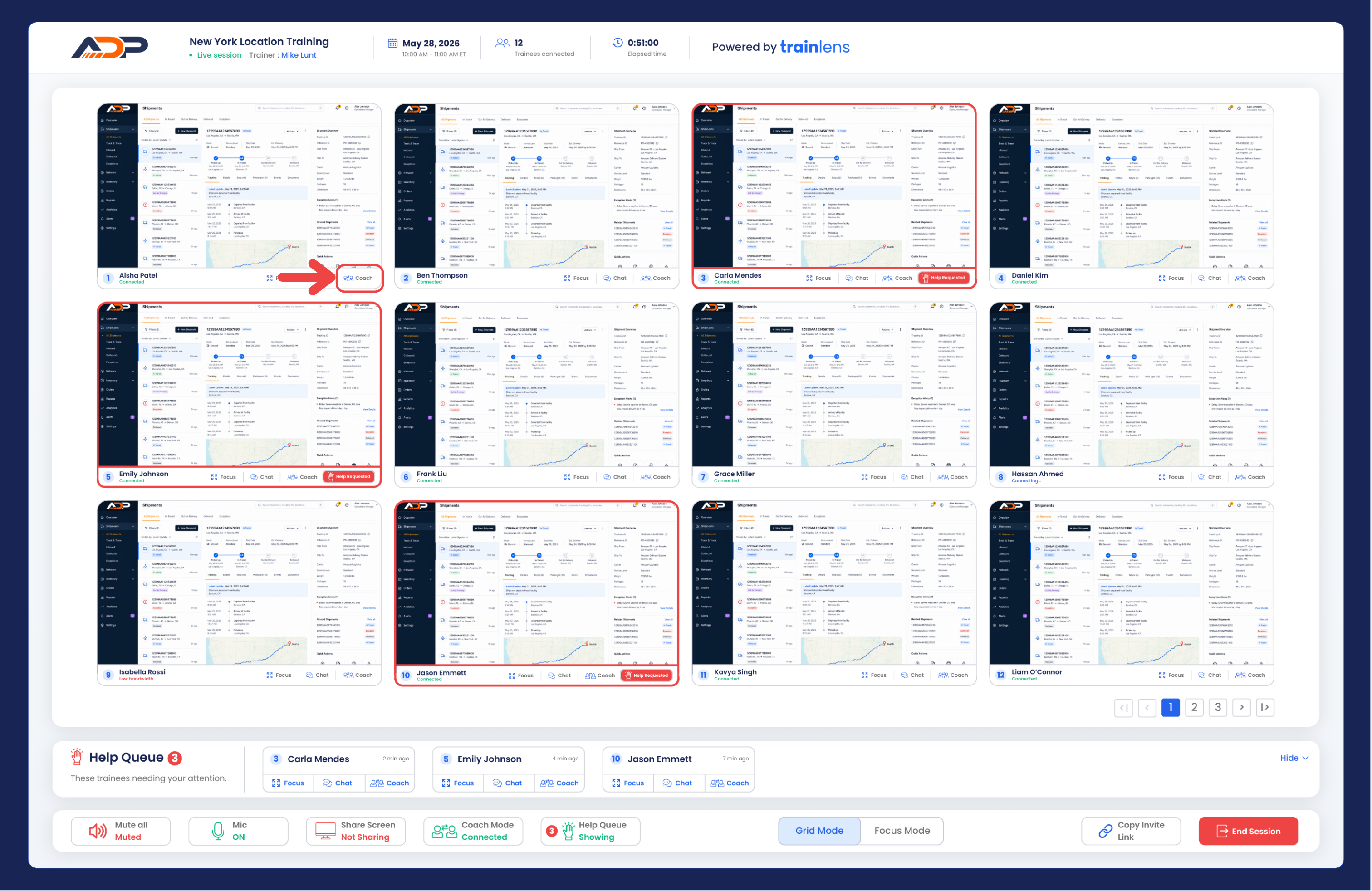
What private support means
Private support allows a trainer to communicate with one trainee without interrupting the rest of the group.
Identify the trainee who needs support
- Use the grid view or a help-request indicator to identify the trainee.
- Confirm the trainee's identity before beginning support.
- Click the Coach button below the trainee's screen.
Keep the wider session moving
- Give the rest of the group a clear task to continue working on.
- Focus your attention on the trainee who needs help.
- Keep the individual intervention as concise as the problem allows.
- Return to the grid view after the trainee can continue independently.
If the issue affects many trainees, it may be better to address the whole group rather than repeat the same individual guidance.
Protect trainee privacy
- Ask the trainee to share only the content needed for the exercise.
- Do not ask them to expose unrelated personal or confidential information.
- If the wrong content is shared, ask the trainee to change or stop sharing.
- Remember that focusing on a shared screen does not provide remote control of the trainee's computer.
End individual support
- Confirm that the trainee understands the next step.
- Select the Coach button again when you are ready to end the private conversation.
- Return to the multi-trainee session view.
- Check whether anyone else needs assistance.
What should I do next?
Continue with End a training session when you are ready to finish the live session.