
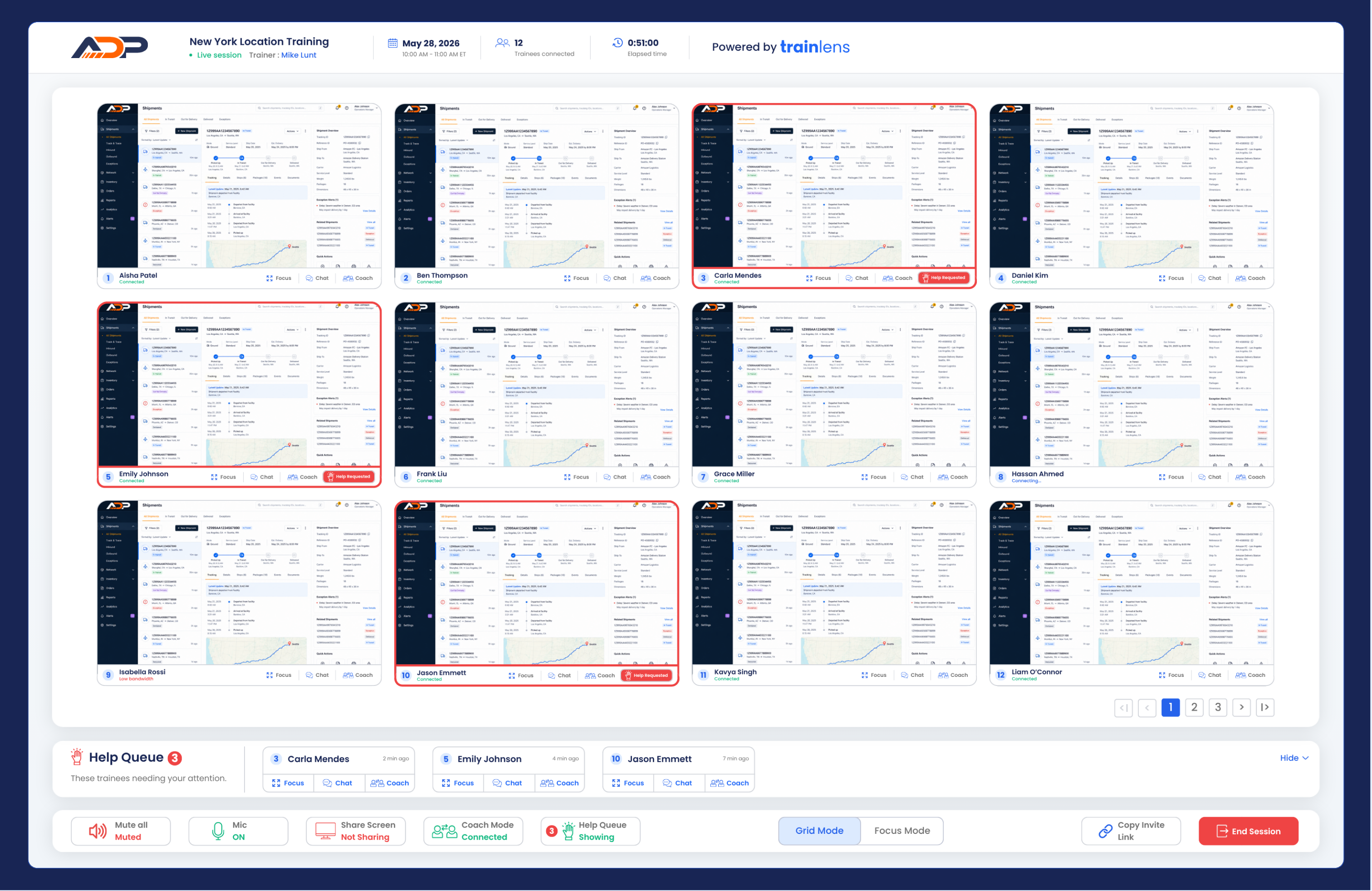
Recognize when a trainee requests help, open the right trainee view and provide support without losing track of the wider session.
A help request is a signal from a trainee that they need assistance during the session. Responding promptly helps the trainee continue without stopping the whole group unnecessarily.
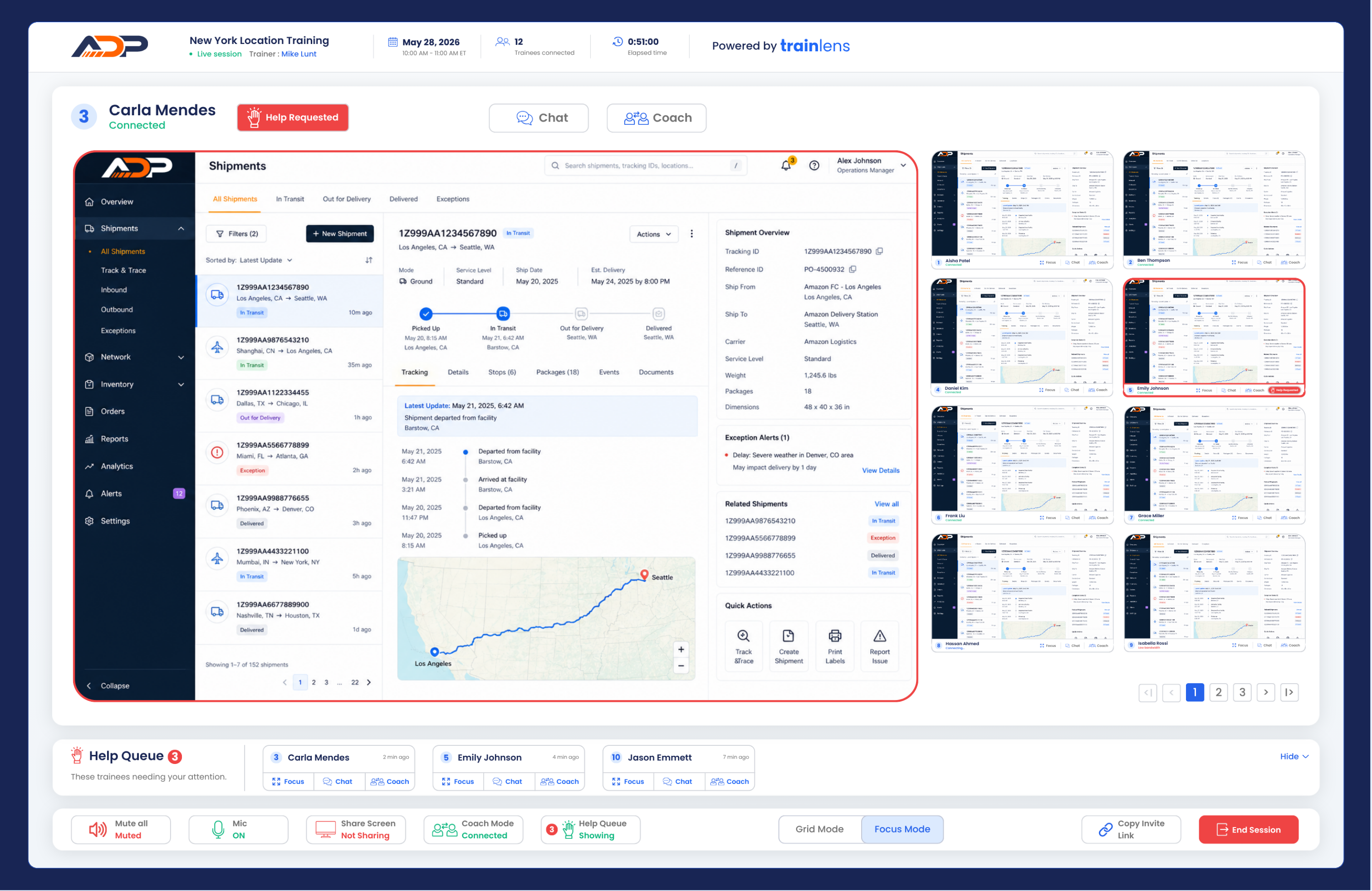
Give one clear step at a time when possible. Ask the trainee to perform the action on their own computer while you observe the shared content.
Train Lens visibility should not be described as remote control. The trainee performs actions on their own computer.
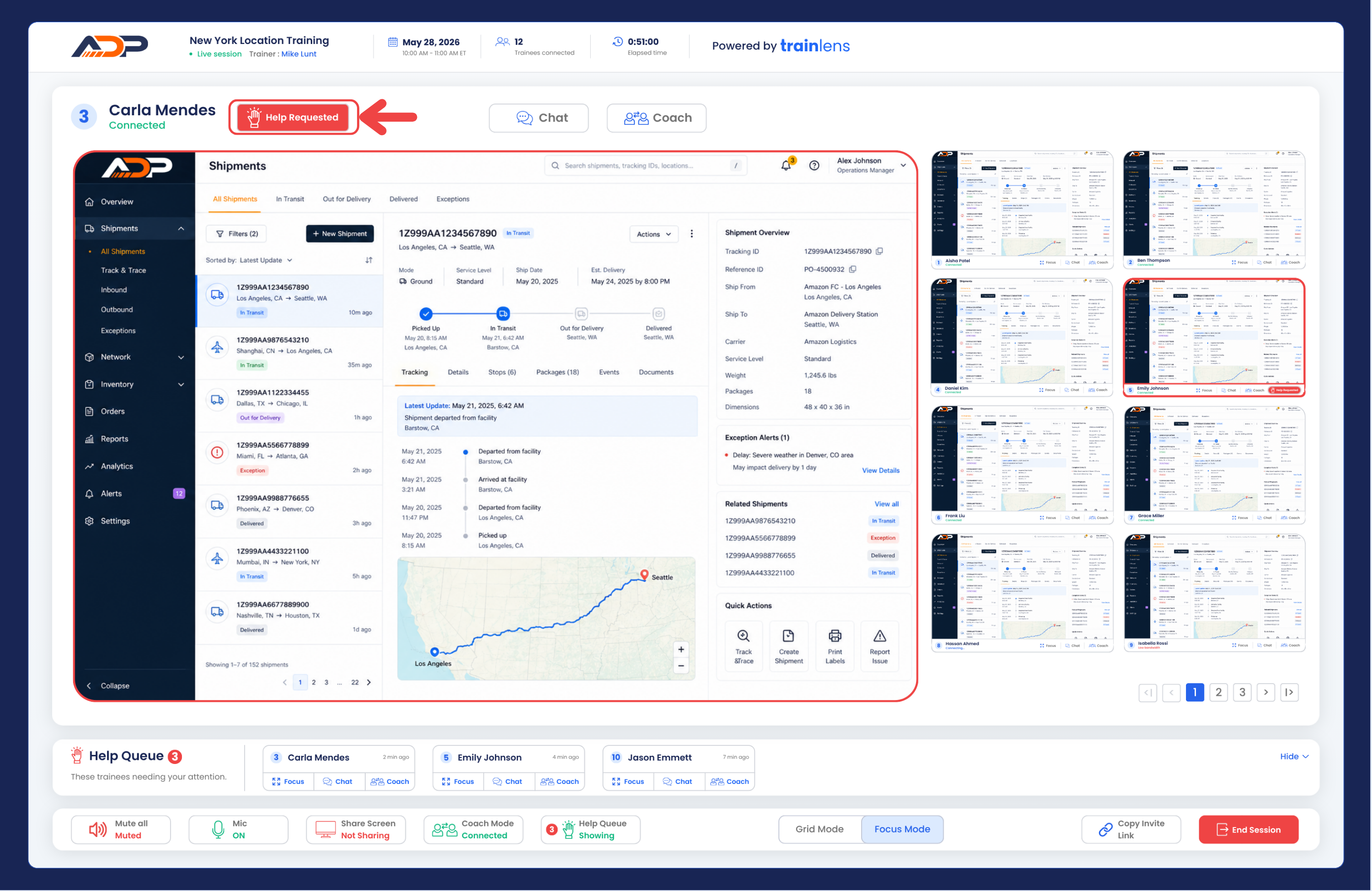
After the problem is resolved, either the trainer or the trainee can clear the help request by clicking the Help Request button. The trainer should confirm that the request is no longer shown as active.
Continue with Provide private support during a session for guidance on keeping individual assistance separate from the wider group.
Contact us anytime at
contact@trainlens.com