
Prepare your training content and choose what to show the trainer when you start sharing.
Join the Train Lens session using your trainer’s link. Open the training software and close unrelated or private content.
Decide what you need to show: a screen for work across applications, a window for one application, or a browser tab for a browser-based exercise. Use the smallest sharing scope that meets the exercise’s needs.
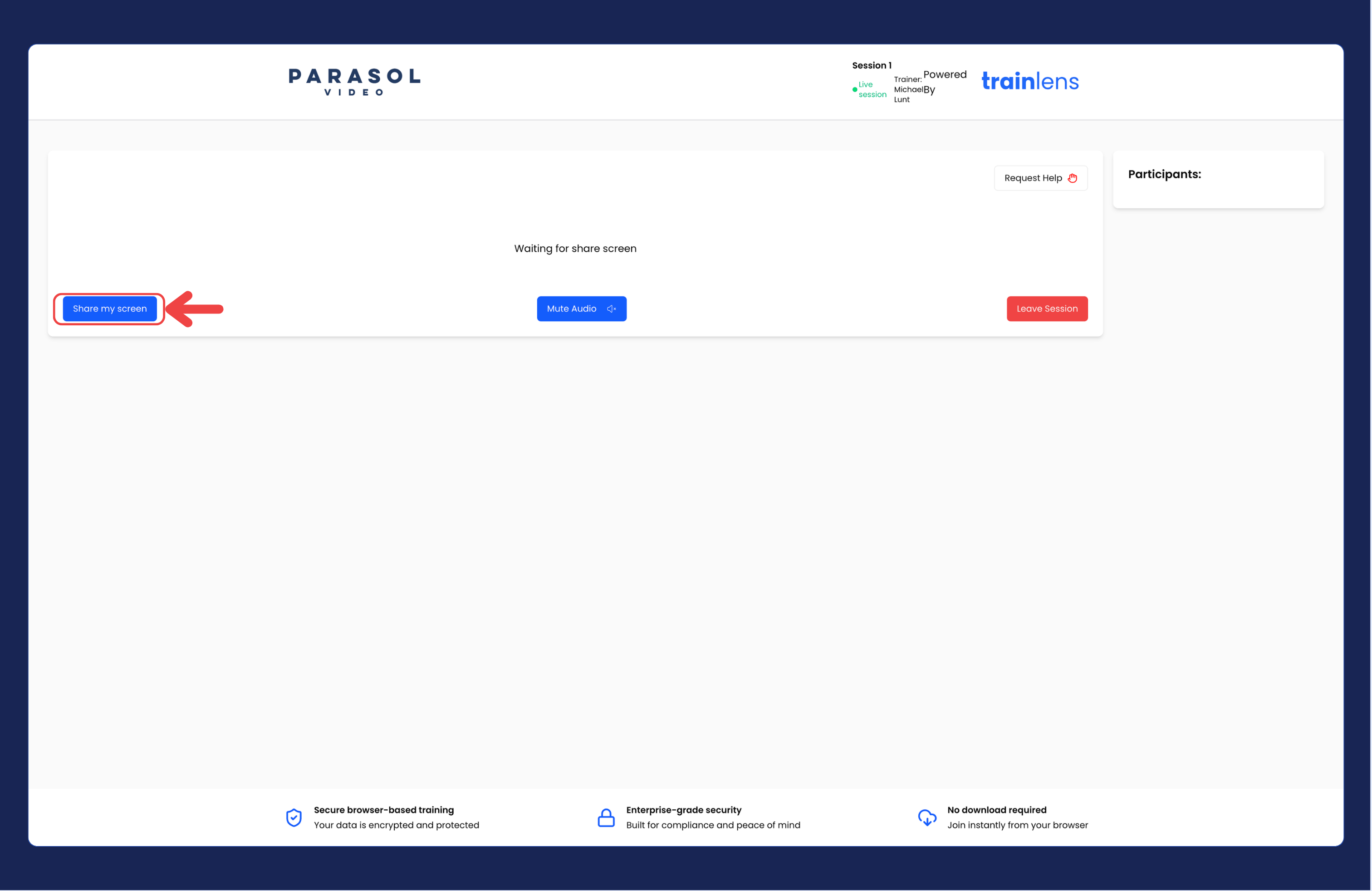
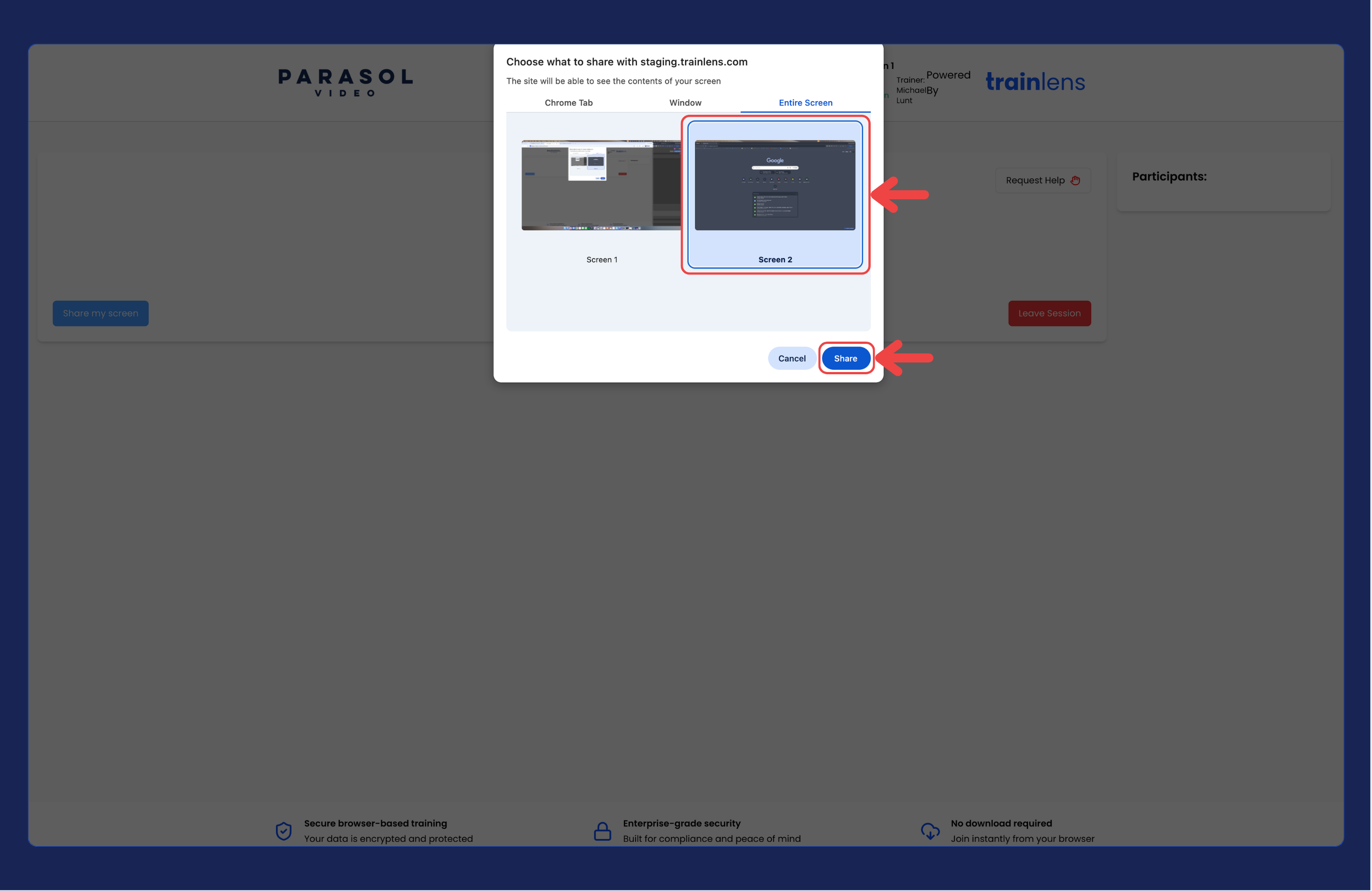
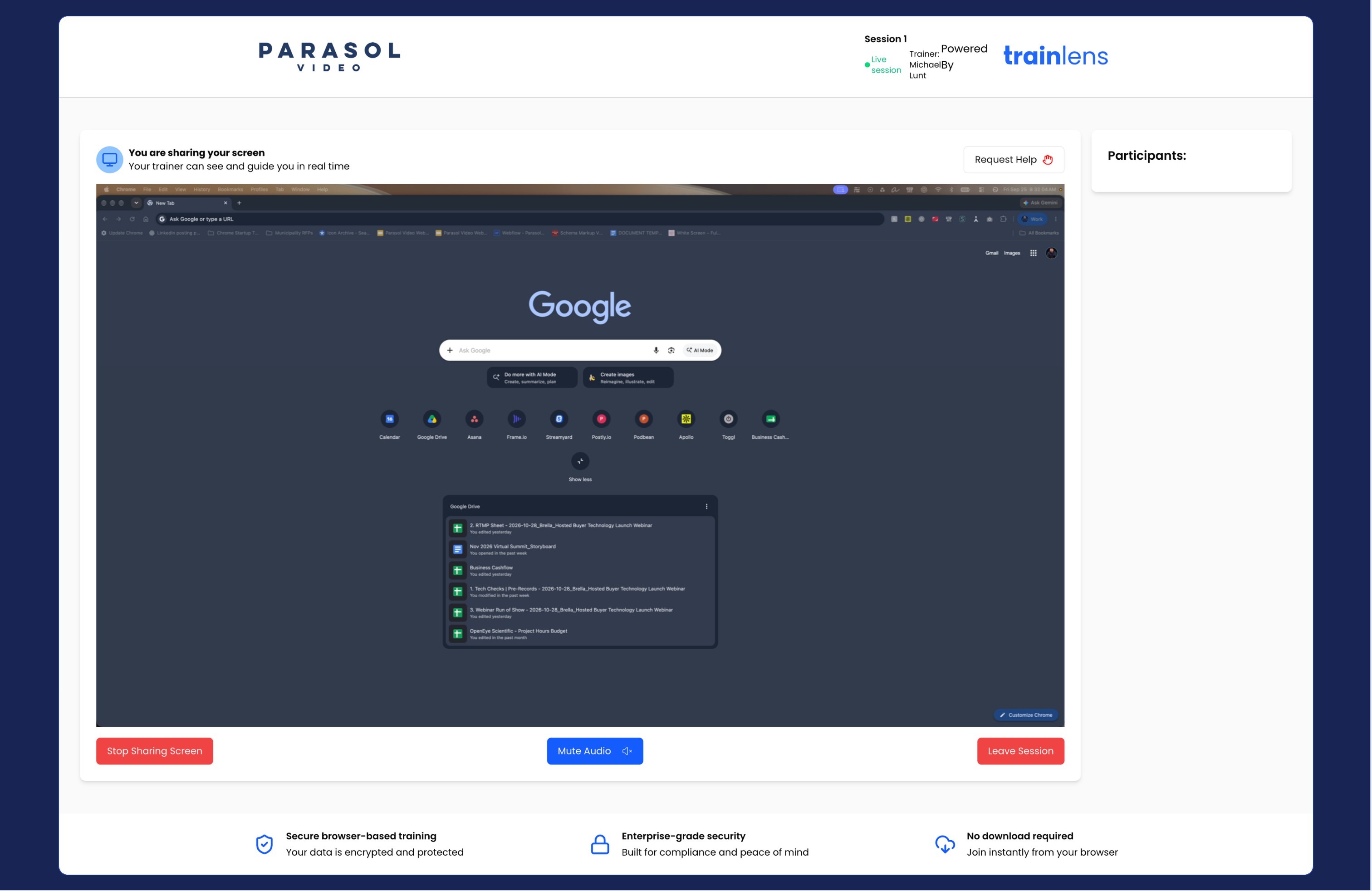
Stop sharing before opening anything private. Prepare the correct content, then repeat the sharing steps. If you cannot find the option you need, ask your trainer for help before continuing.
Read Stop sharing at any time before you begin your exercise.
Contact us anytime at
contact@trainlens.com