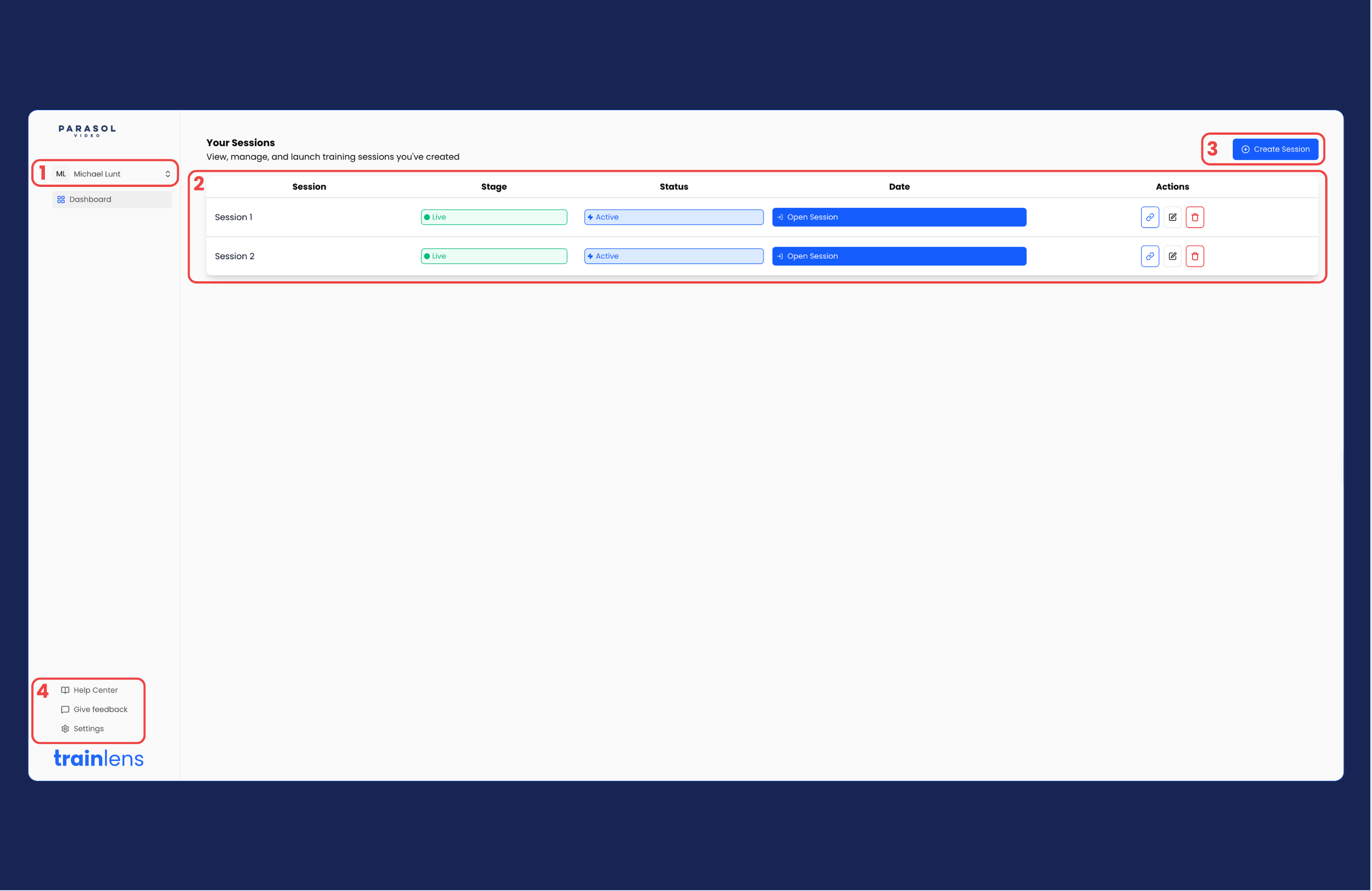
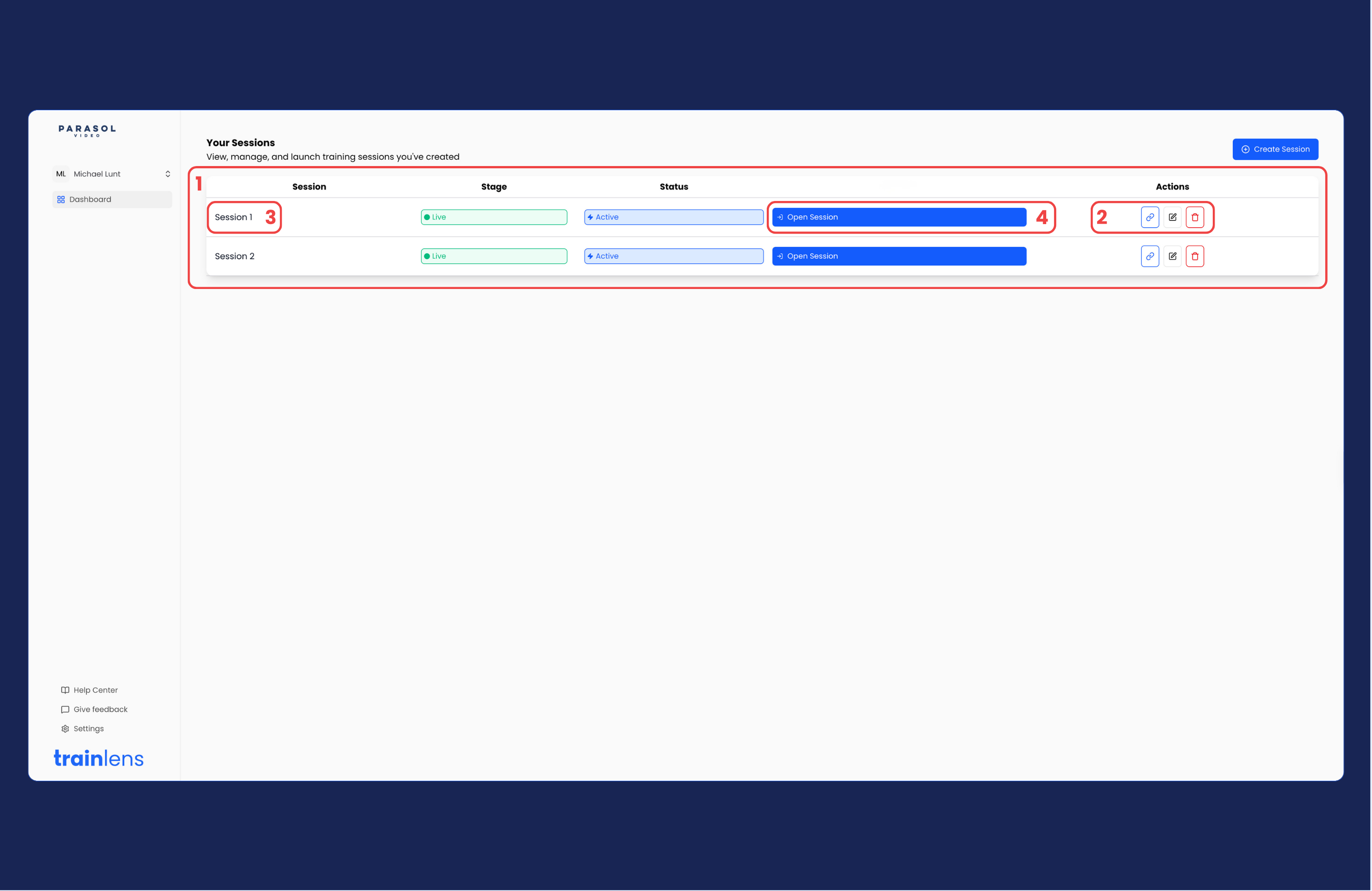
Learn how the Train Lens trainer dashboard is organized and where to look for sessions, session actions and account information.
Updated
September 25, 2026
•
4 minutes
On this page
Before you begin
Sign in to your Train Lens trainer account before using this guide. The dashboard is the starting point for creating, opening and managing training sessions.
Identify the main dashboard areas
Look at the page heading so you know which trainer area you are viewing.
Locate the area that lists or links to your training sessions.
Locate the control used to start creating a new session.
Locate any account, profile or navigation controls available to trainers.
You should be able to identify where to go when you want to create a session and where to return when you want to find an existing session.
Find an existing session
Go to the area where your sessions are displayed.
Look for the session you want to manage.
Use the information shown with each session to distinguish it from other sessions.
Open the session by selecting Open Session.
If the dashboard does not look as expected
Confirm that you signed in with the correct trainer account.
Refresh the page once if content has not loaded.
Check whether your organization has given your account access to the expected sessions.
Record any message shown on the screen if the page reports an error.