
Change your name or password from Settings on the main trainer dashboard.
Sign in to your Train Lens trainer account and open the main trainer dashboard. You can update your name and password from the Settings tab.
If you cannot sign in because you have forgotten your password, read Reset your password first.
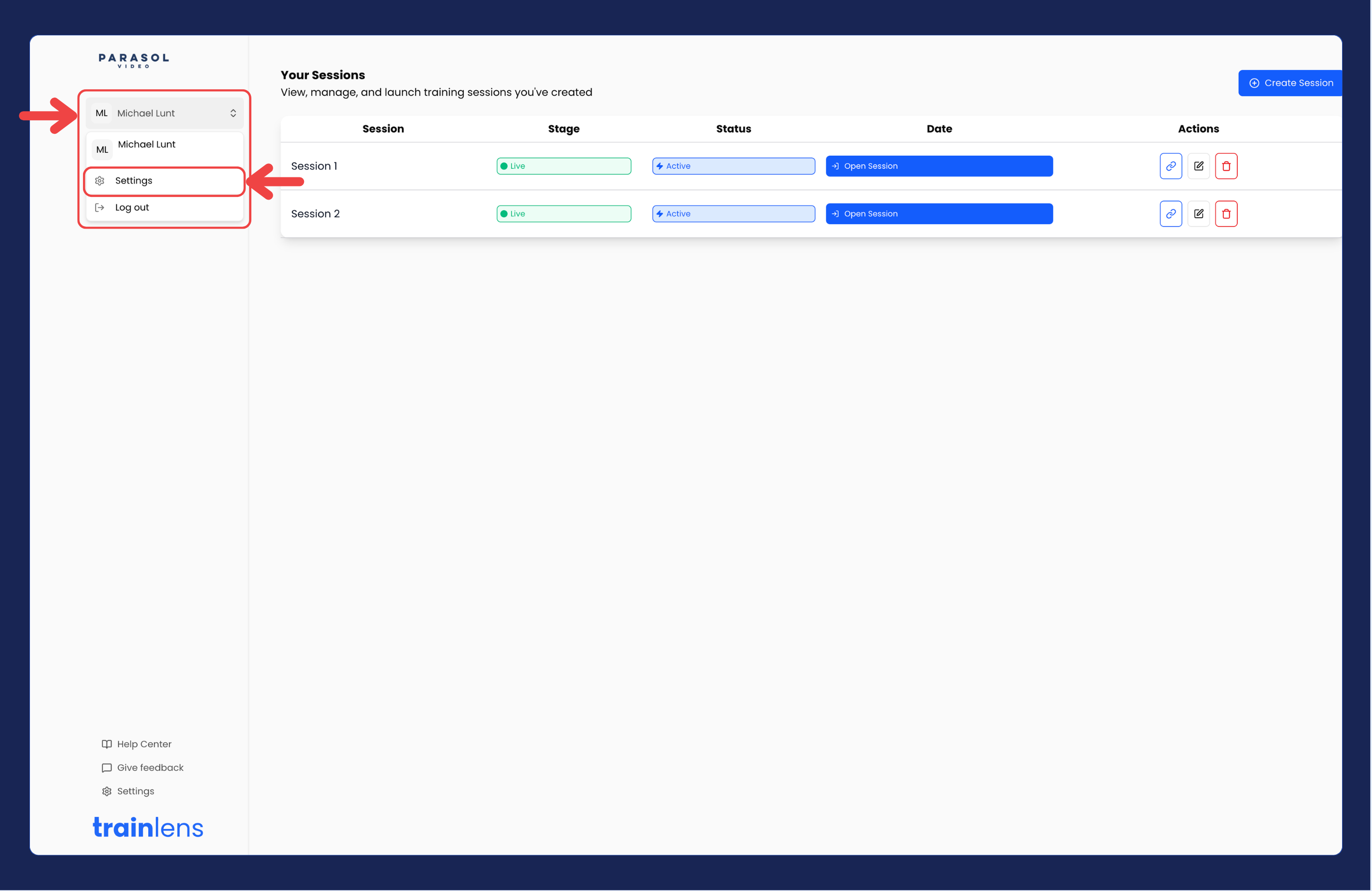
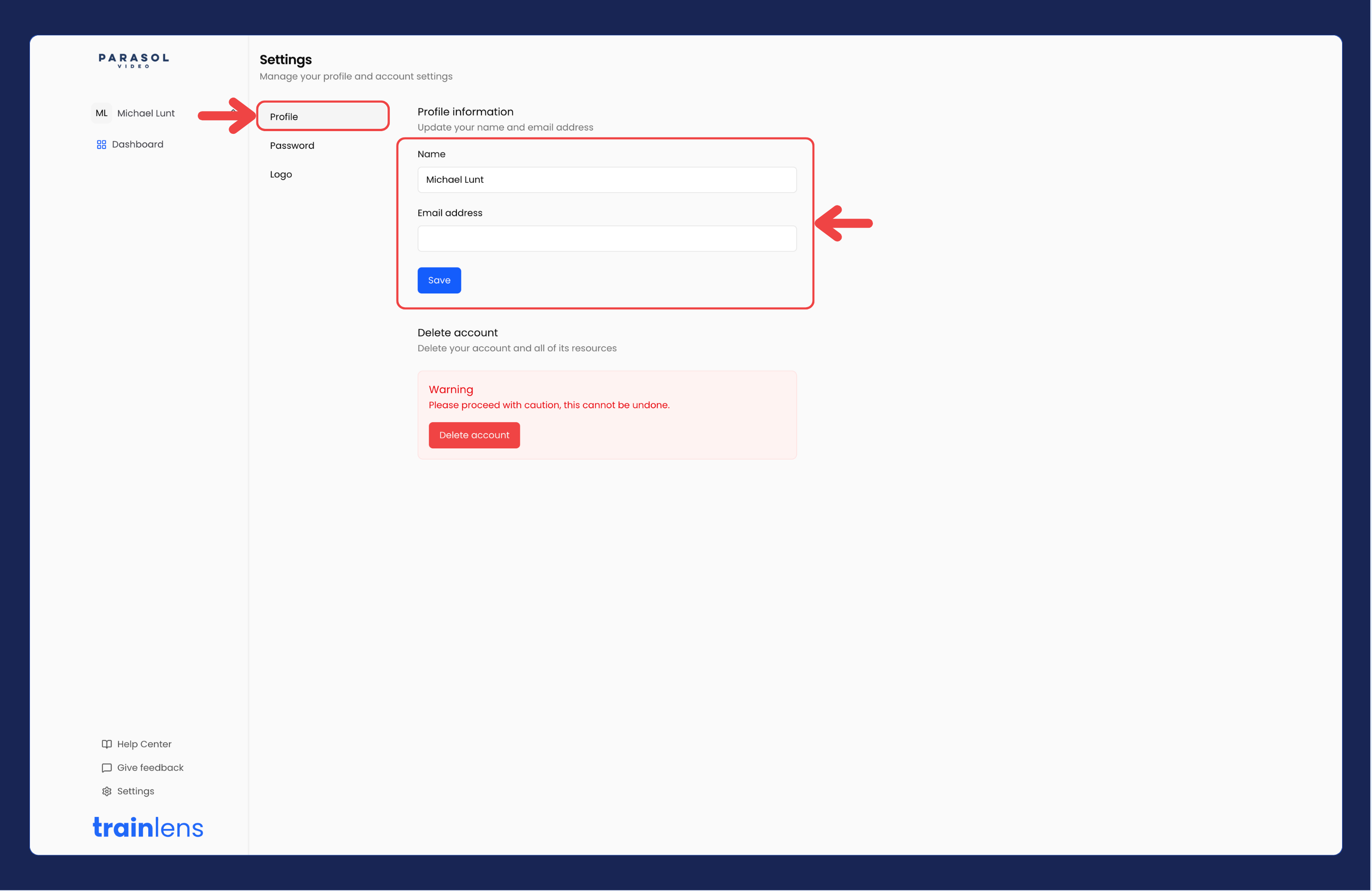
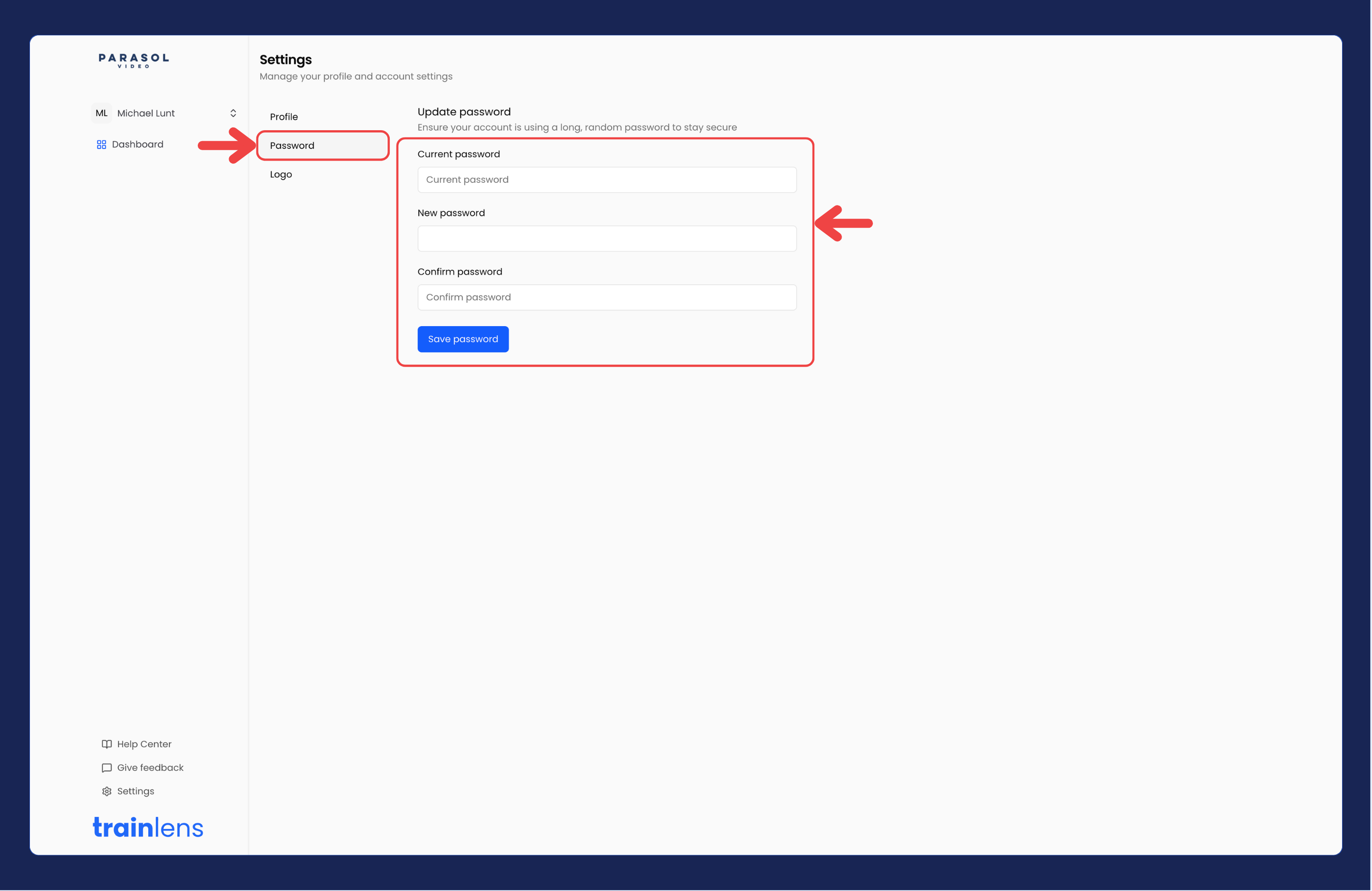
If you see an error, read it before trying again. Do not assume the password changed if the update was not confirmed.
Use your updated password the next time you sign in. If your browser saves passwords, make sure it uses the updated one.
Contact us anytime at
contact@trainlens.com