
Use the trainer group view to view multiple trainee screens and identify who may need support during a live Train Lens session.
A trainer can only see content that a trainee has actively chosen to share. If a trainee has not started sharing, their screen content should not be treated as visible to the trainer.
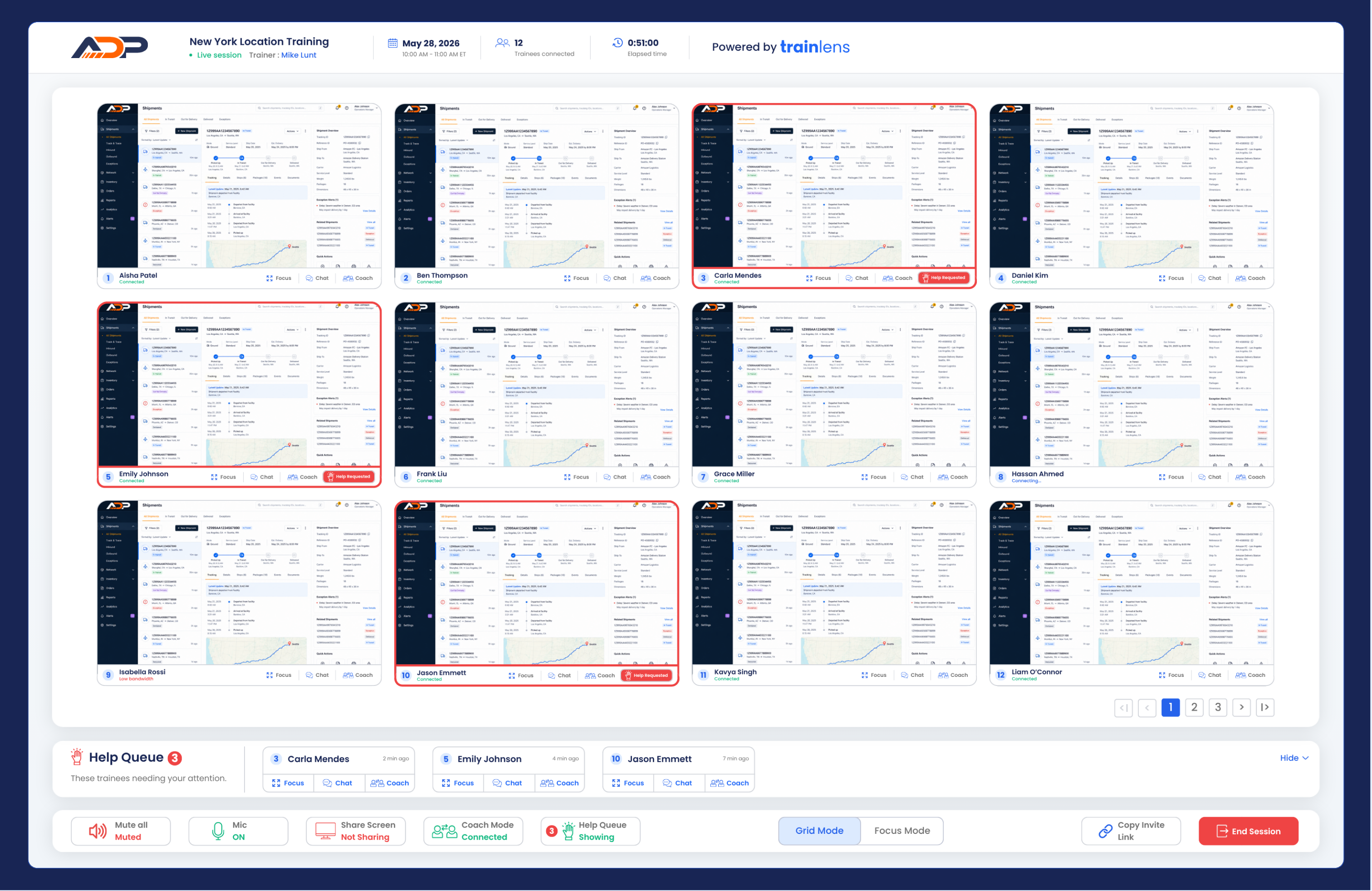
Use the grid view to understand progress, not to expose one trainee's work to other trainees.
Shared content may differ from trainee to trainee because each person chooses what to share. A trainee may share an entire screen, a single application window or a browser tab depending on the browser and current Train Lens workflow.
If a screen is unavailable or stops updating, do not assume the trainee has left. Check whether the trainee stopped sharing or needs help.
Use any current scrolling, paging, layout or filtering controls provided by Train Lens to review the whole group.
When one trainee needs closer attention, continue with Focus on one trainee's screen.
Contact us anytime at
contact@trainlens.com