
Learn how to open Train Lens, sign in with your trainer account and confirm that you have reached the trainer dashboard before a session.
You need access to a Train Lens trainer account before you can create or manage training sessions.
Have the sign-in details provided by your organization ready. If you have not yet received access, contact the person who manages Train Lens for your organization before continuing.
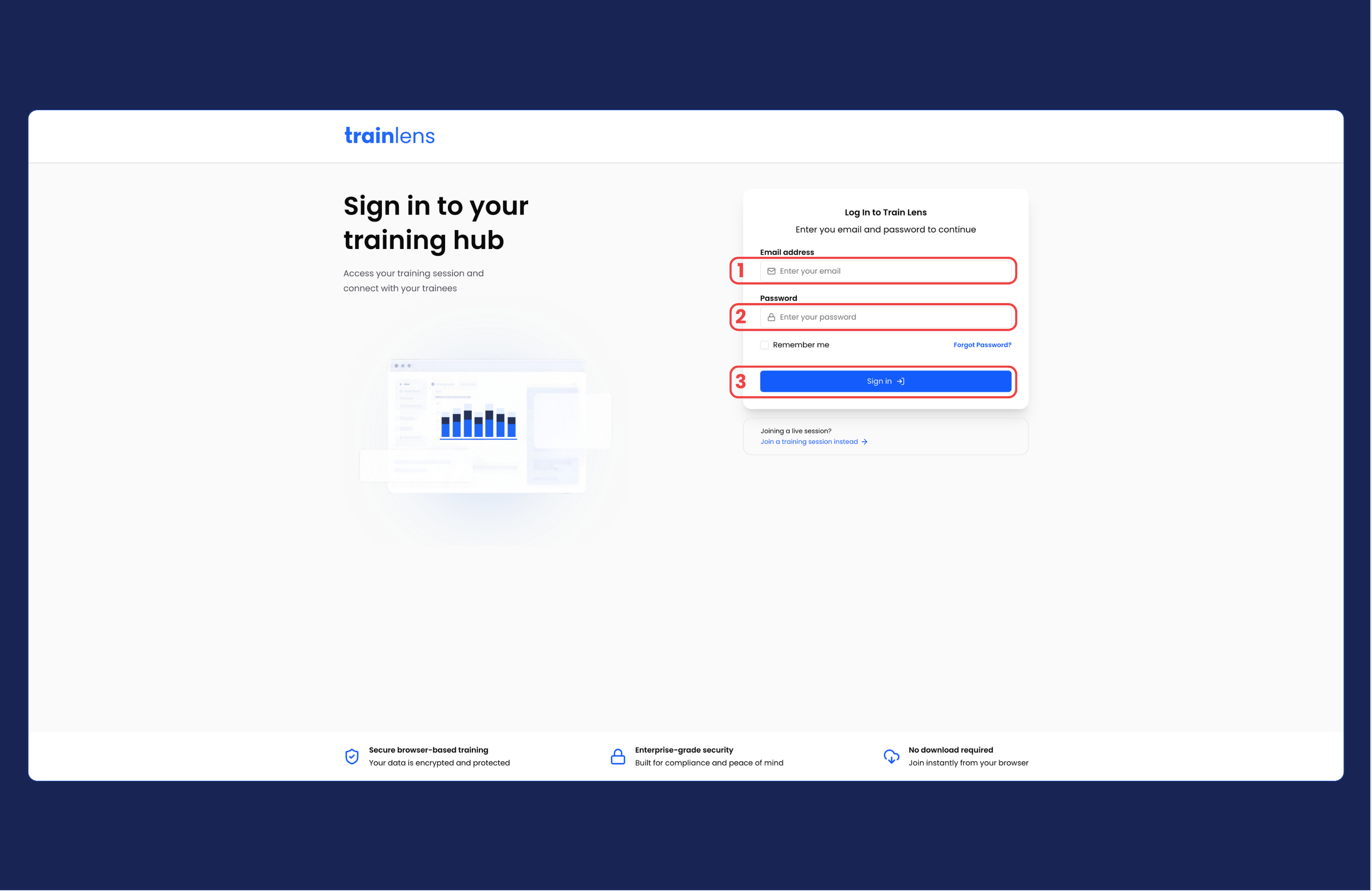
After a successful sign-in, you should reach the trainer area of Train Lens.
Before continuing, confirm that you can see the trainer dashboard.
Check the following before trying again:
If you need to reset your password, click the Forgot Password? link that sits below the Password field.
If you still cannot sign in, contact the person who manages Train Lens access for your organization and note any message shown on the screen.
Once you can sign in successfully, continue with Understand the trainer dashboard.
Contact us anytime at
contact@trainlens.com