
Learn how Train Lens helps trainers see trainee progress, identify problems and provide private support during live software training.
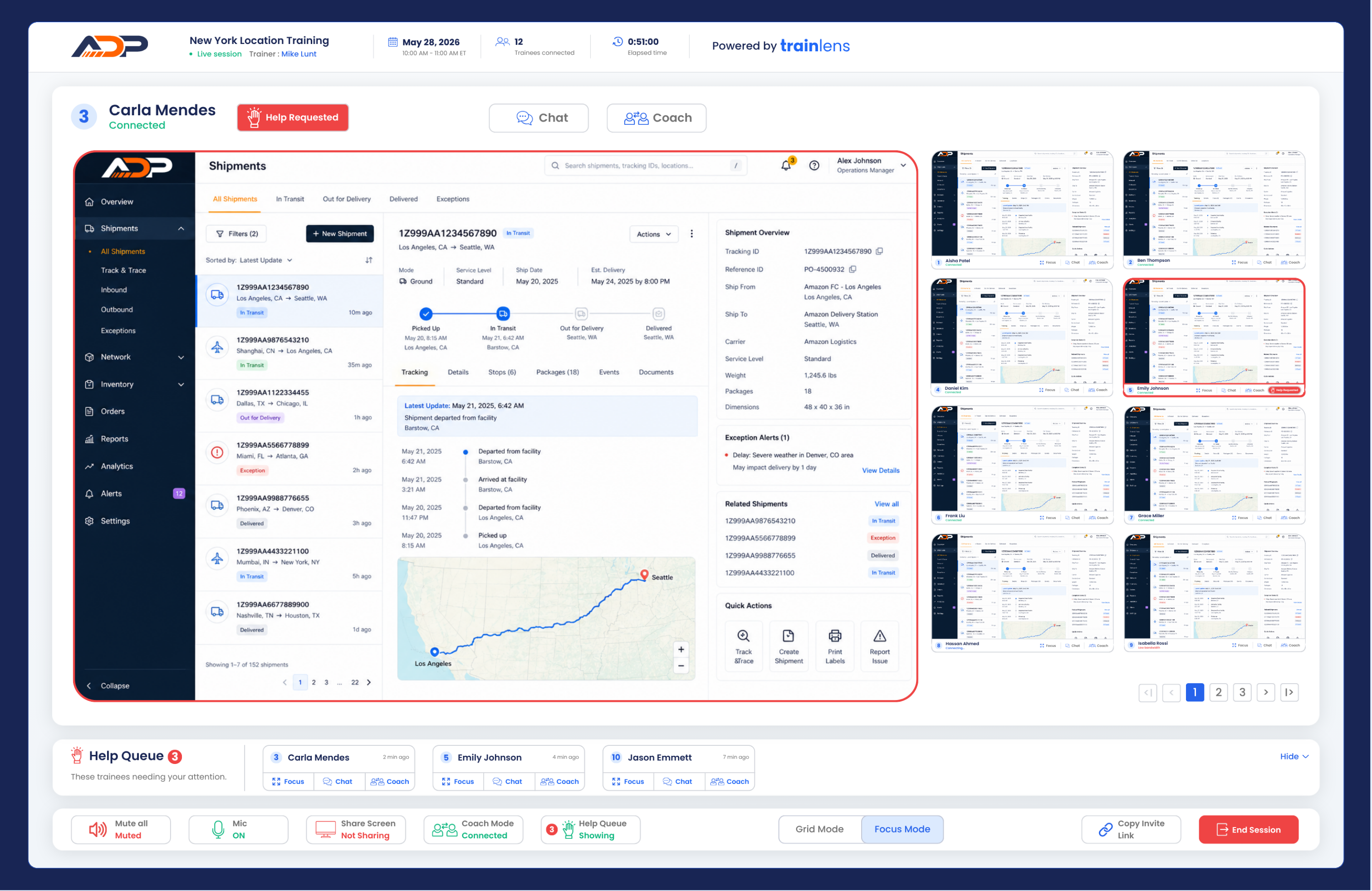
Train Lens gives trainers live visibility into hands-on software training. Instead of repeatedly stopping a session to ask whether everyone is keeping up, a trainer can see each shared trainee screen and identify where support is needed.
Train Lens is designed for trainers delivering live, hands-on software training to remote, hybrid or multi-location groups.
It helps trainers support people who are actively working inside software, and not simply watching a presentation.
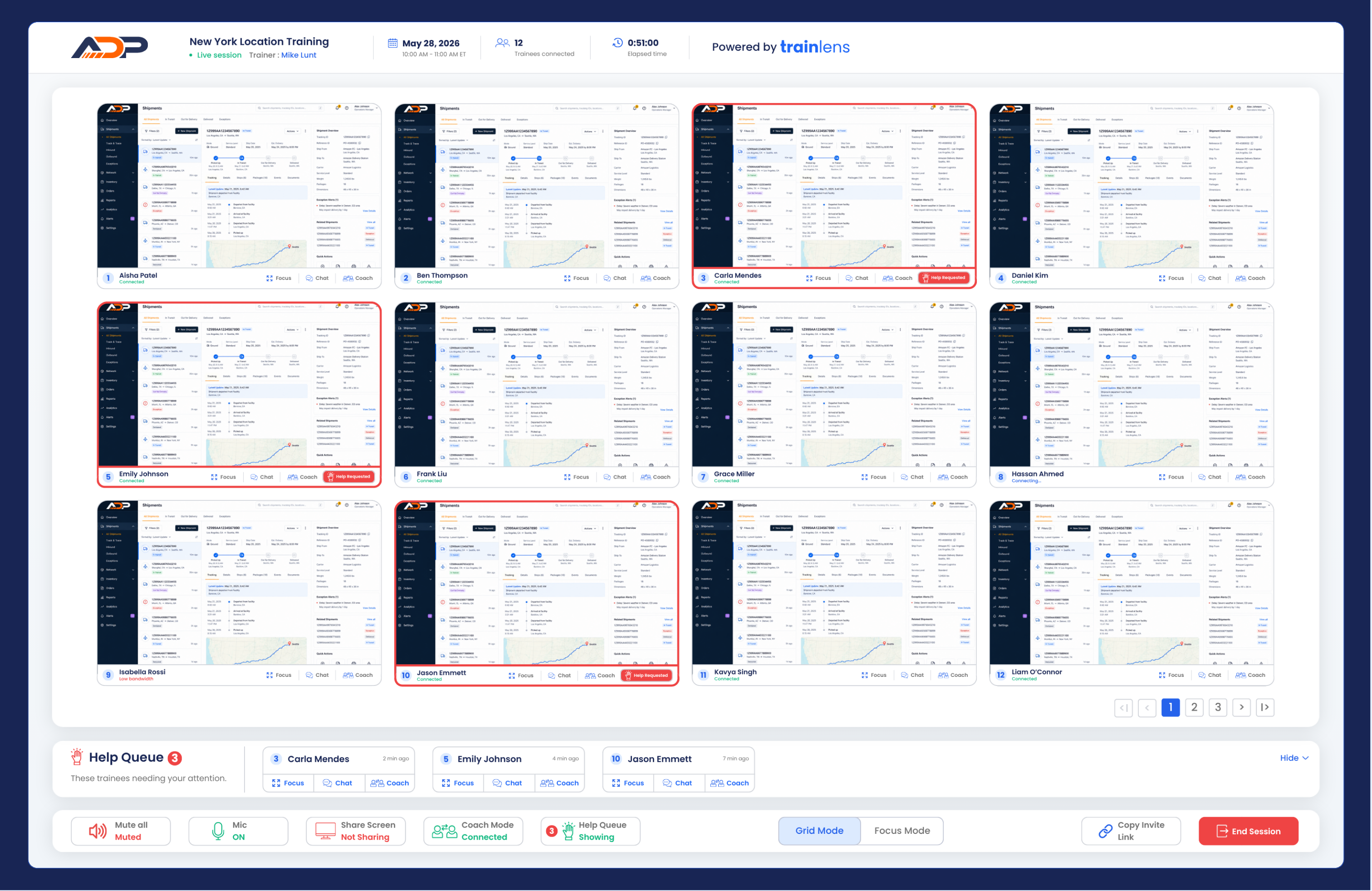
The trainer can see the screens that trainees have actively chosen to share during the session.
Shared screens are visible to the trainer, not to the other trainees in the group.
No. Train Lens transmits shared screens during the live session but does not record or store them.
A trainee can stop sharing their screen at any time.
No. Train Lens gives the trainer visibility into the shared screen, but it does not provide remote control of the trainee’s computer.
The trainee remains in control of their device and the screen-sharing connection.
If you are a trainer, the next step is to learn how to create your first session.
If you are a trainee, begin with the guide explaining how to join a Train Lens session.
Contact us anytime at
contact@trainlens.com